Create Lead Action
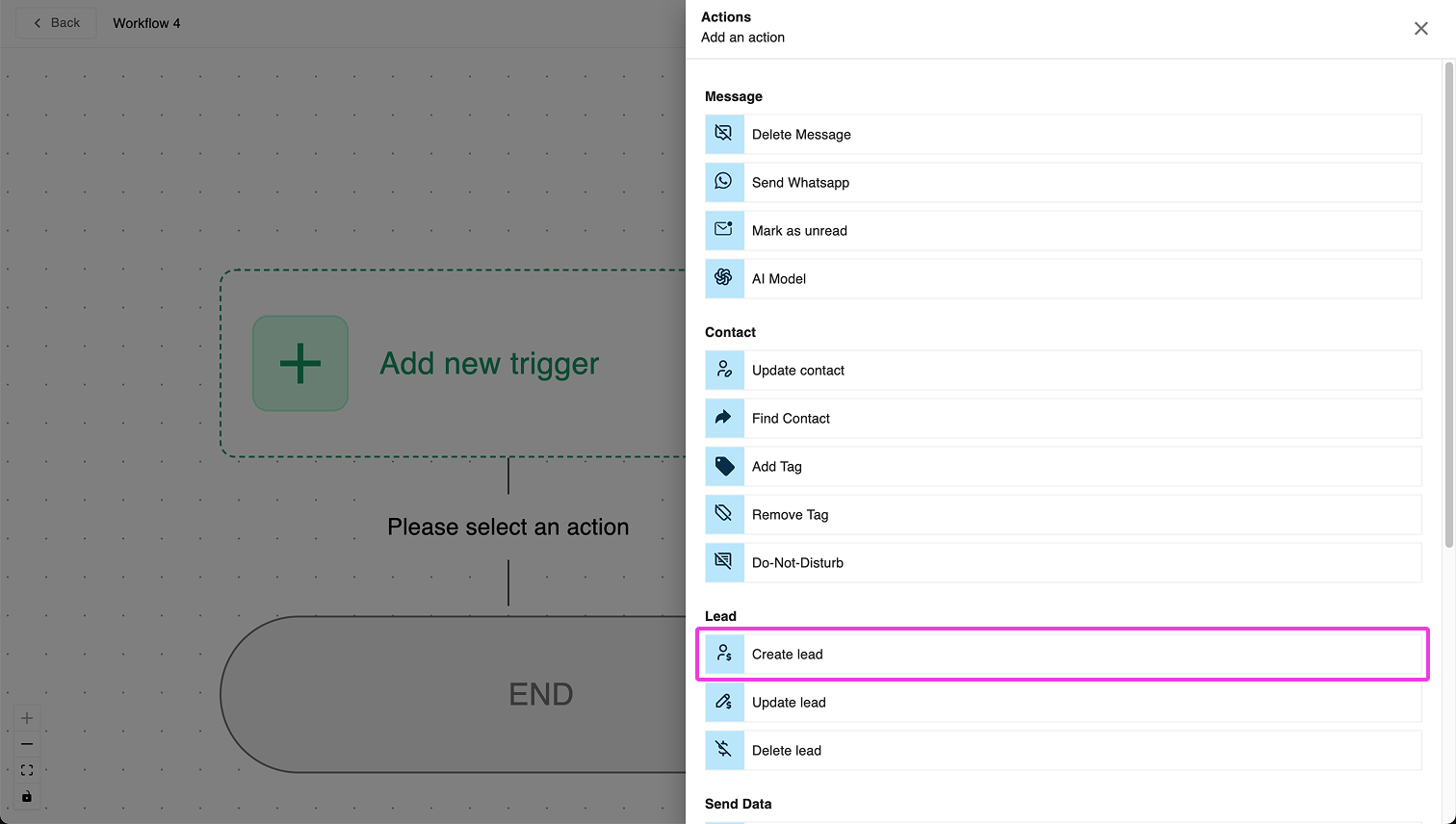
The Create Lead action allows you to generate a new lead record for a contact within Exabloom. This is particularly useful for tracking new opportunities, inquiries, or customer interactions in a structured manner.
🛠️ How It Works
- By default, the action creates a lead record for the contact currently in the workflow within the selected pipeline stage.
- The lead will be created under the current outlet where the workflow runs. However, you have the option to create a lead for another outlet if needed.
- To prevent duplicate leads, the system automatically checks for existing lead records within the same pipeline before creating a new one. You can modify this behavior if you want to allow multiple leads for the same contact in the same pipeline.
📝 Setting Up Lead Details
1️⃣ Lead Title (Required)
Every lead record requires a title to be created. This title helps in identifying and managing leads efficiently.
2️⃣ Capturing Additional Information (Custom Fields)
You can map extra data into custom fields to capture more details about the lead. A common example is the "Source" field, which tracks where the lead came from (e.g., "Facebook Ads", "Google Ads", "Instagram DM").
3️⃣ Data Type Formatting for Custom Fields
Each custom field must adhere to the correct format based on its data type:
| Data Type | Accepted Format |
|---|---|
| Text / Multiline Text | Any value |
| Time | hh:mm A (e.g., "03:20 PM", "11:15 AM") |
| Date | DD/MM/YYYY (e.g., "20/03/2025") |
| Date Time | DD/MM/YYYY hh:mm A (e.g., "27/02/2025 03:45 AM") |
| Single Select / Multi Select | Must match one of the predefined options (case-sensitive) |
| Number | Only numerical values (integers & floating-point numbers allowed) |
💡 Proper formatting ensures the data is processed correctly within the system.
🔄 Handling Duplicate Leads
The Duplicate Lead Handling setting allows you to define how Exabloom should manage duplicate leads within the same pipeline. There are three options:
1️⃣ Allow All Duplicates
✔ No restrictions—a new lead record is created every time this action runs, even if identical leads already exist in the pipeline.
2️⃣ Prevent All Duplicates
✔ Before creating a lead, Exabloom checks if a lead already exists for the same contact in the selected pipeline.
✔ If at least one lead record is found, a new one will not be created.
✔ This setting does not remove existing duplicates—it only prevents new ones from being created.
3️⃣ Allow After Time Period
✔ Allows a new lead to be created only after a specified minimum time period has passed since the last lead for this contact in the same pipeline.
Example Scenario:
- A lead record for this contact was created 2 days ago.
- The minimum time period before creating another lead is set to 3 days.
- Since only 2 days have passed, a new lead will not be created.
- However, if the last lead was created 4 days ago, a new lead will be created since the required time window has been met.
💡 This option is useful for preventing excessive lead duplication while still allowing new leads to be created after a reasonable delay.
📌 Summary
✔ Creates a new lead record for a contact in the selected pipeline.
✔ Prevents duplicate leads by default (but this can be changed).
✔ Supports custom fields for capturing extra information (e.g., lead source).
✔ Ensures proper formatting for each custom field type.
✔ Offers flexible duplicate handling options (Allow All, Prevent All, Allow After Time Period).
By using the Create Lead action effectively, you can ensure that lead records are well-organized and tailored to your business processes. 🚀
This version improves readability, fixes grammatical errors, and makes the guide more structured and engaging. Let me know if you’d like any further tweaks! 😊