Journey Analysis Guide

Journey analysis reveals the paths leads took through your pipeline stages before reaching their current position. This powerful tool helps you understand lead behavior patterns and optimize your conversion process.

Understanding Journey Analysis

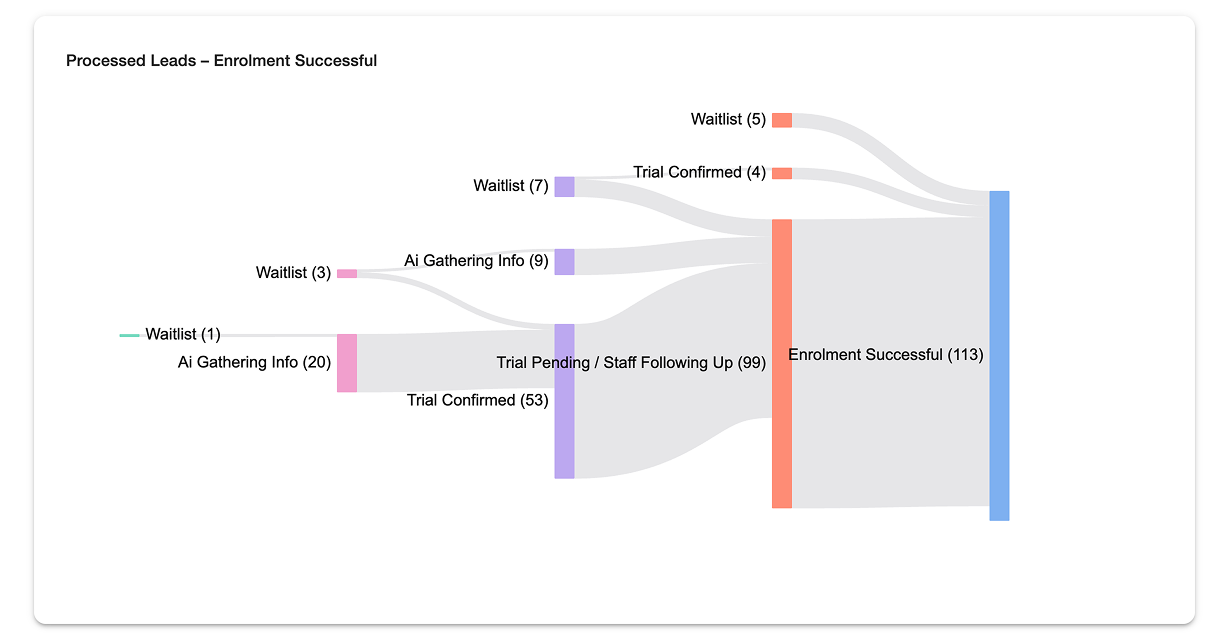
sankey-graph.png

The Journey Visualization

When you select a stage to analyze, you'll see a flow diagram showing:

  • Lead volumes flowing from previous stages
  • The final count in your selected stage
  • Visual representation of the most common paths

What Journey Shows

Journey analysis displays:

  • Current Stage Count: How many leads are currently in the selected stage (rightmost column)
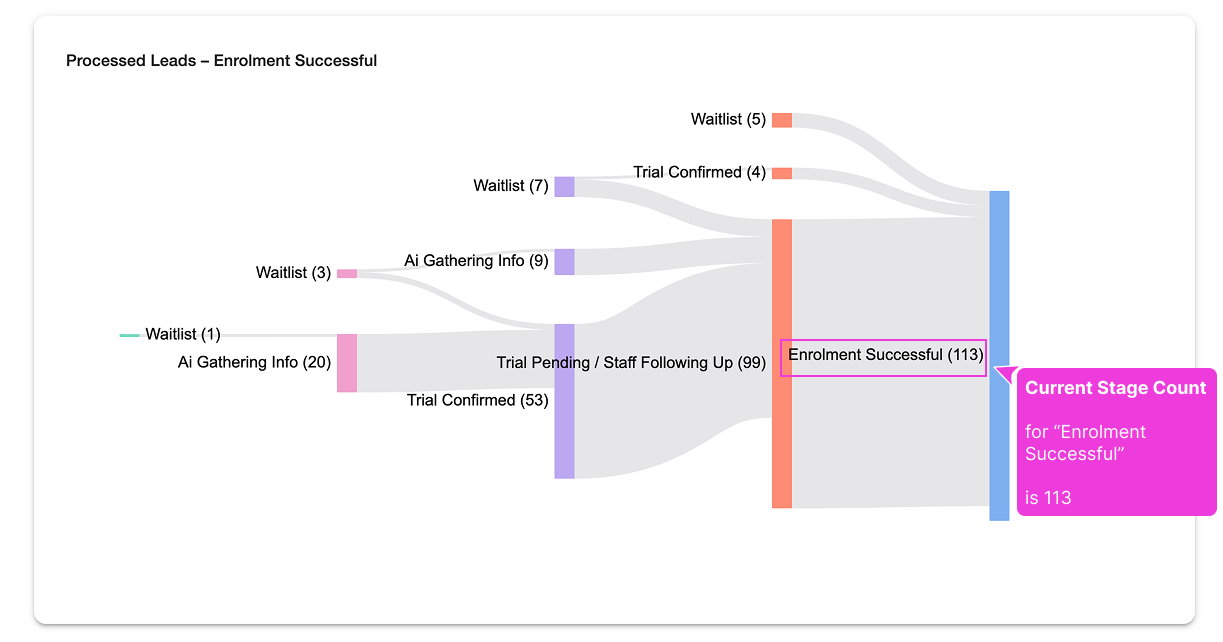
    sankey-graph-current-stage-count.png

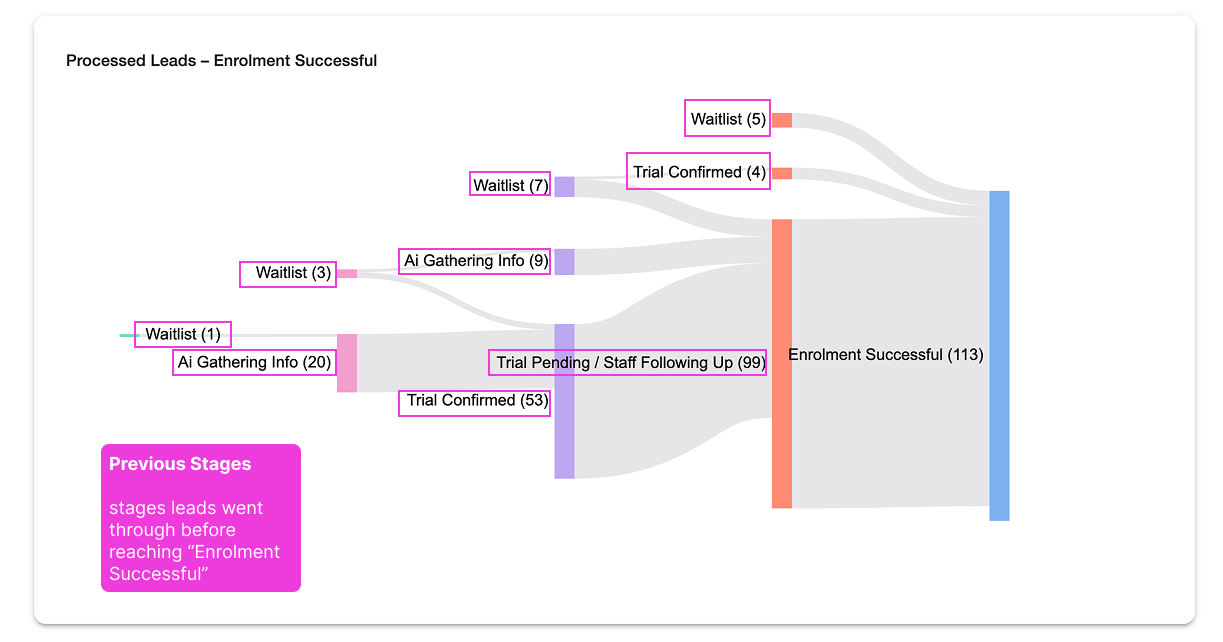
  • Previous Stages: Where those leads came from before reaching the current stage (left columns)

    sankey-graph-previous-stages.png

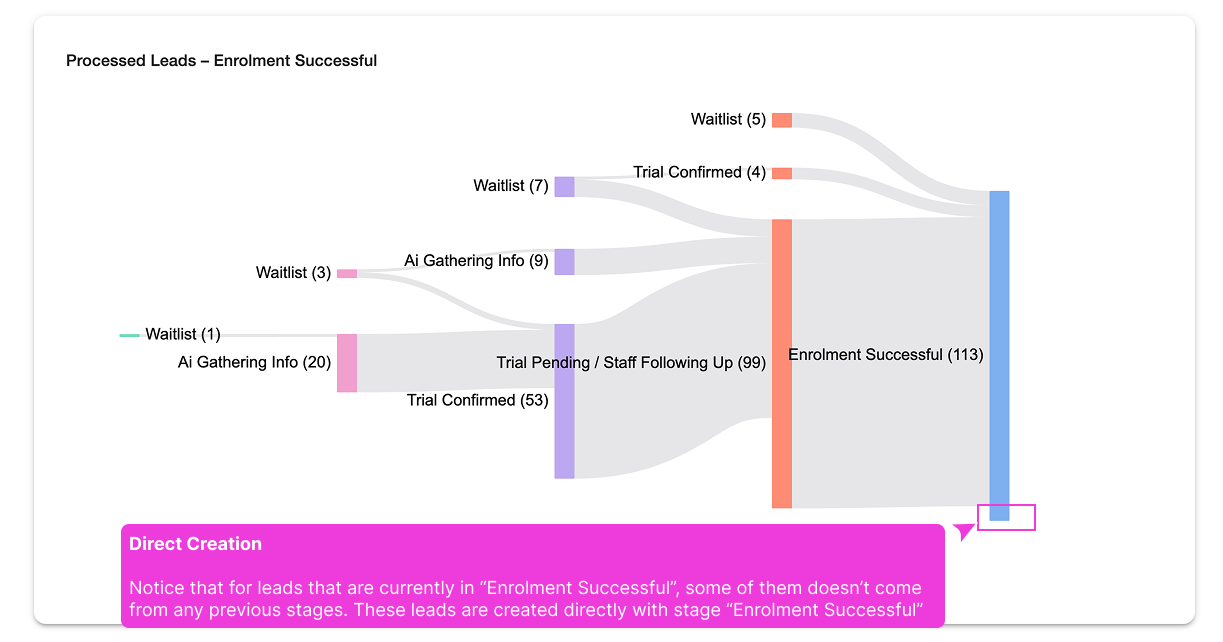
  • Direct Creation: Leads created directly in the current stage (shown as gaps in the journey)

    sankey-graph-direct-creation.png


Setting Up Journey Analysis

In this example, I want to analyse the stages leads have gone through before reaching "Enrolment Successful".

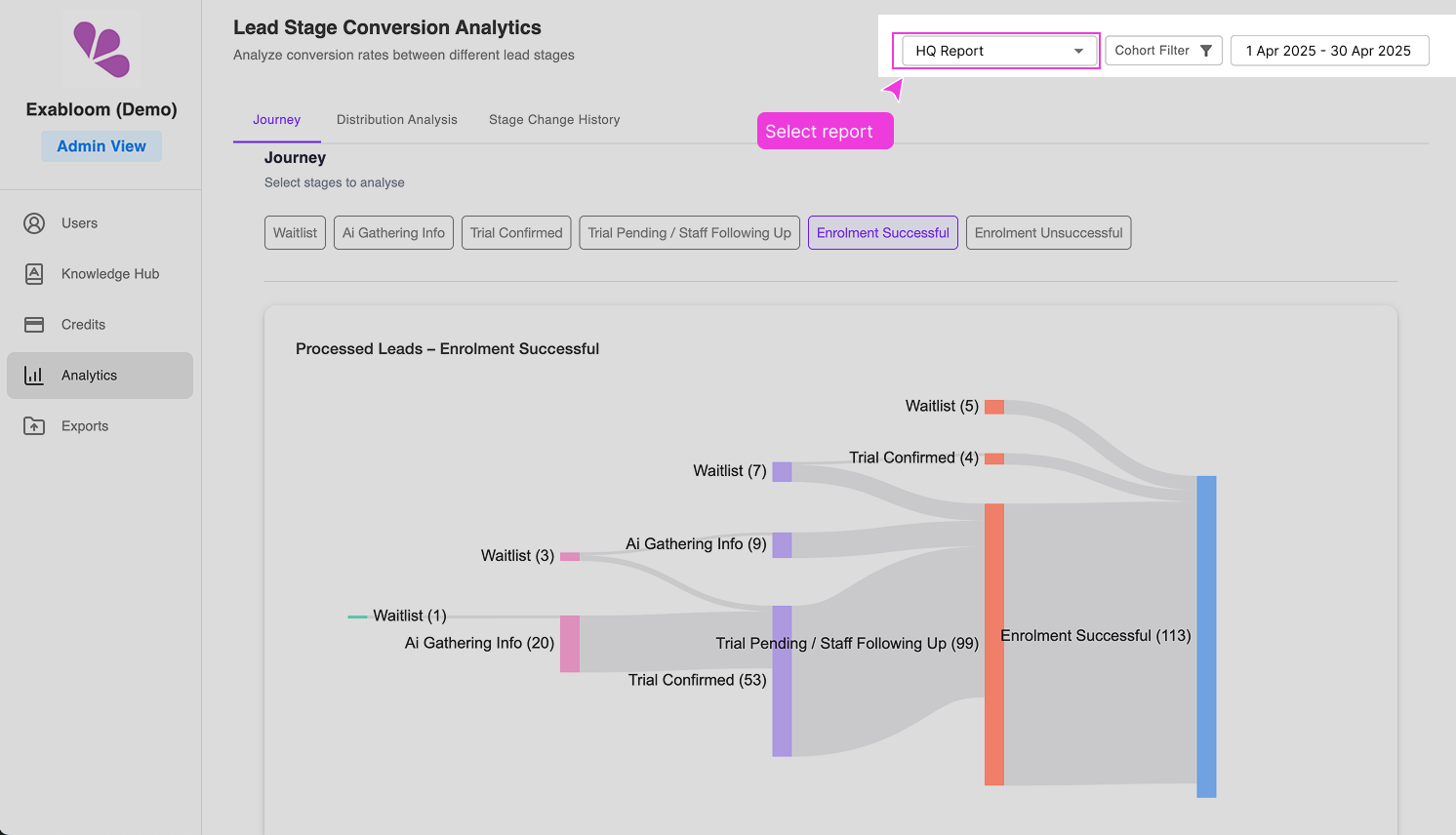
Step 1: Select Your Report

Ensure you have the correct report selected from the dropdown menu that covers the data you want to analyze.

For me, I will select, "HQ Report" (the report may be different for your case).

journey-select-report.png

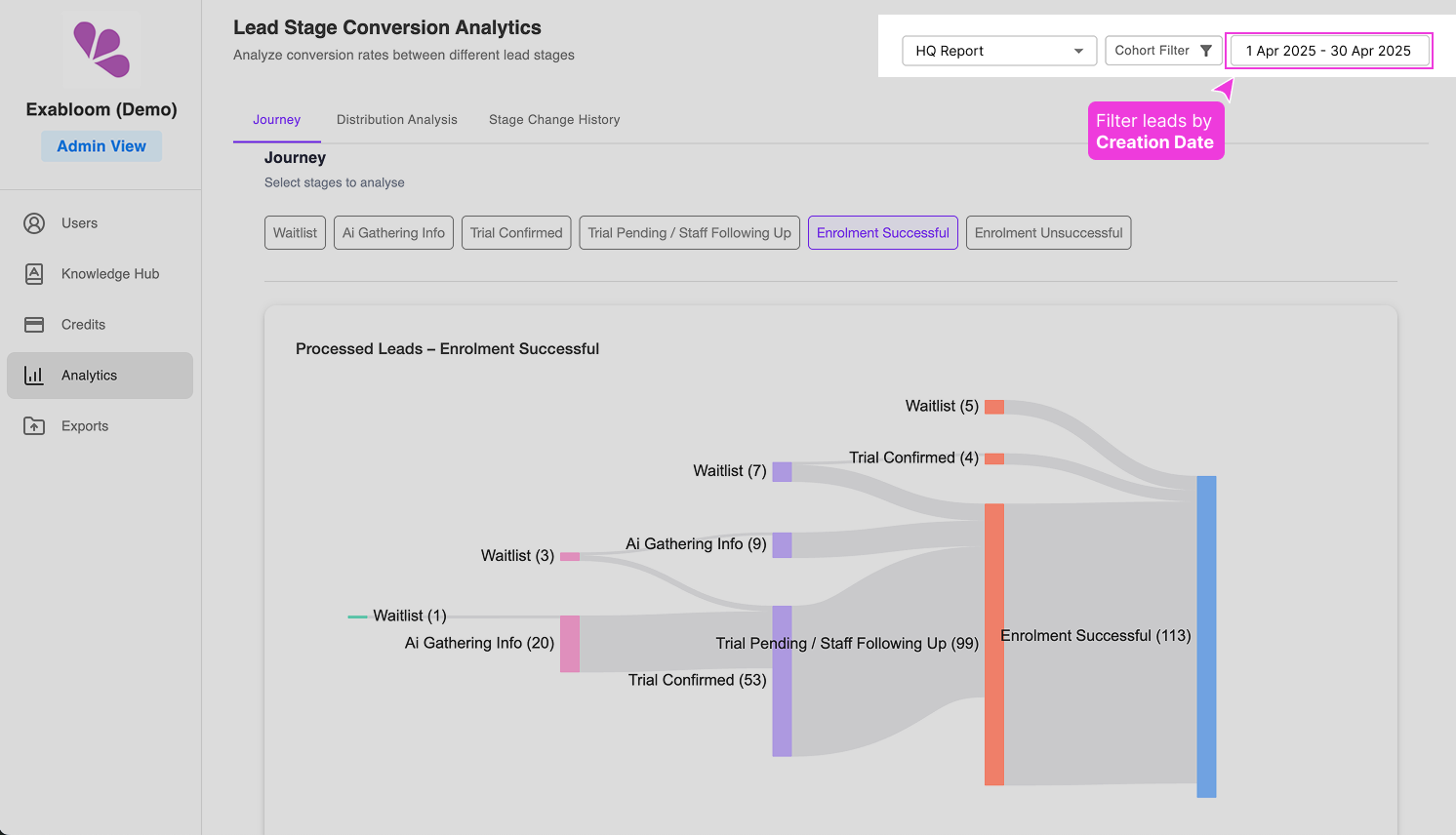
Step 2: Set Date Range

Use the date range picker to filter leads by their creation date: This determines which leads are included in the analysis based on their creation date.

journey-select-date-range.png

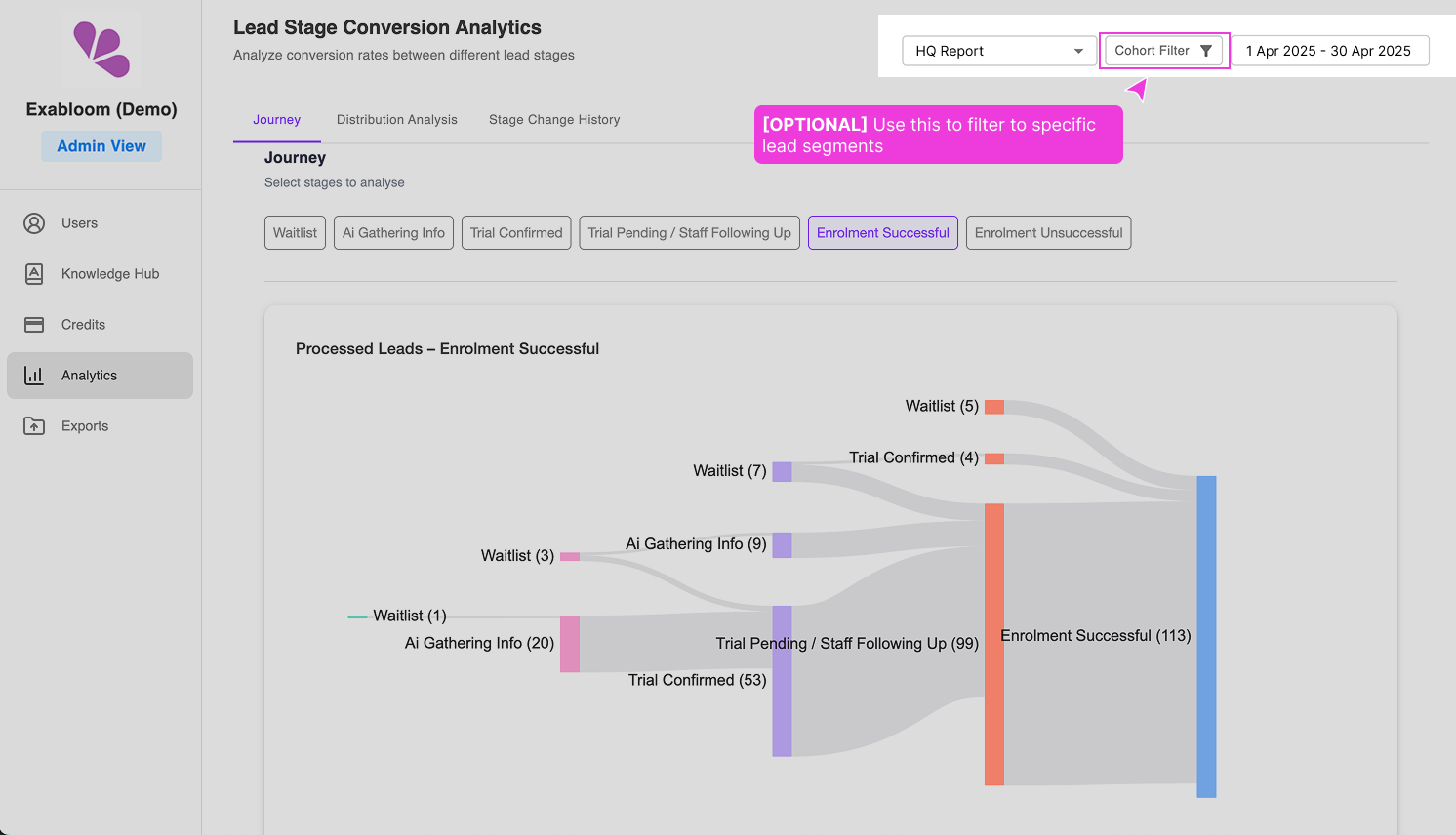
Step 3: Apply Cohort Filters (Optional)

journey-cohort-filter.png

If you want to focus on specific lead segments, apply additional filters based on your available fields.

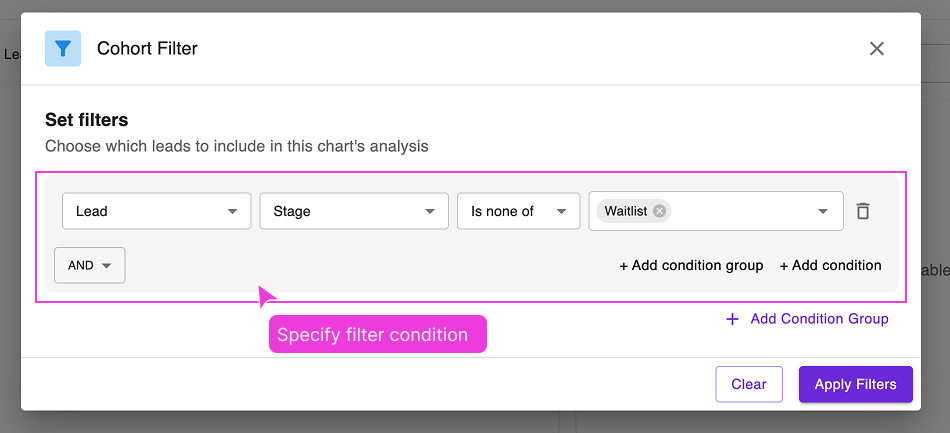
cohort-filter-set-filter-condition.png

Example: In the screnshot above, it shows that we want to EXCLUDE those leads that are in "Waitlist" stage.

Using Journey Analysis

Selecting a Stage to Analyze

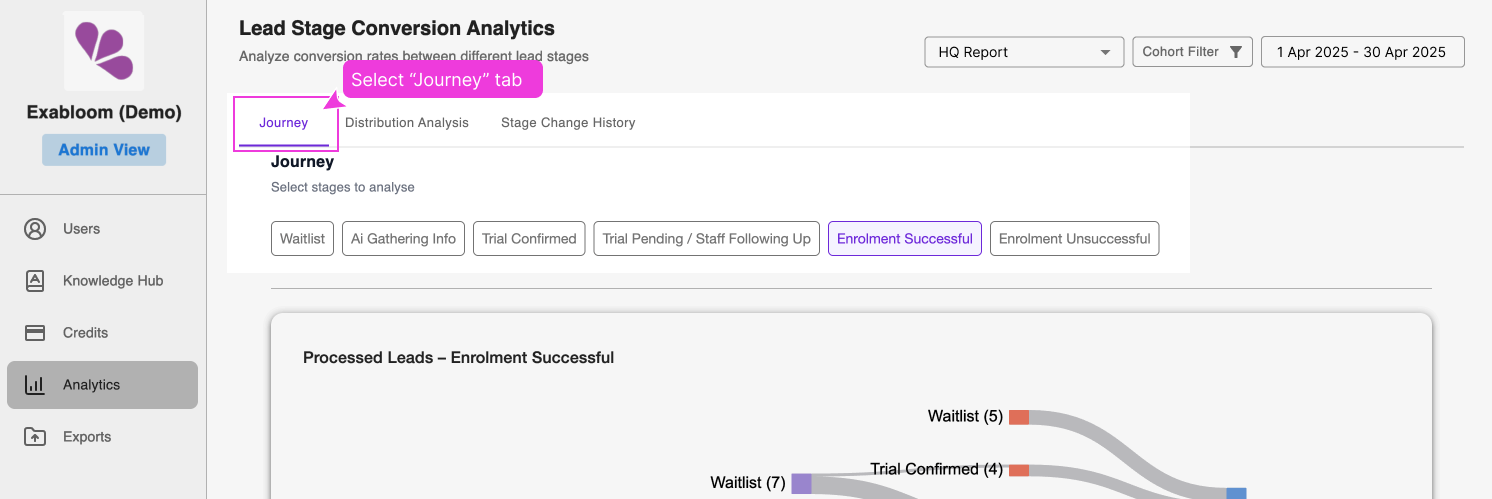
  1. Click on the Journey tab

    journey-select-journey-tab.png

  2. Choose any stage from your pipeline (typically a Processed stage for most insights)

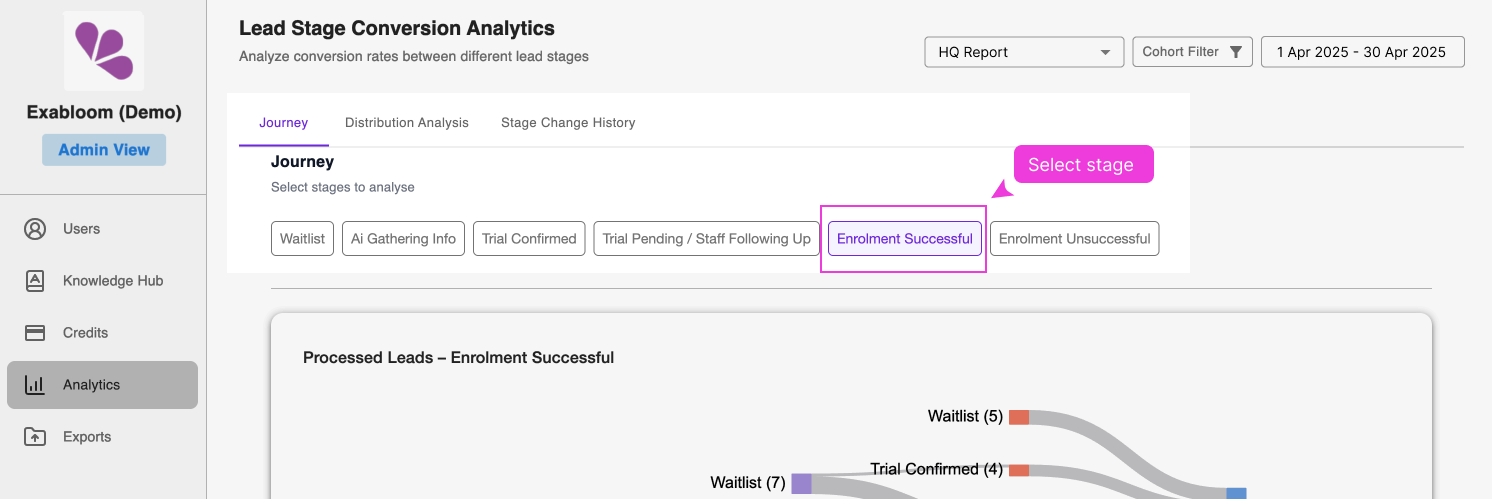
    journey-select-stage.png

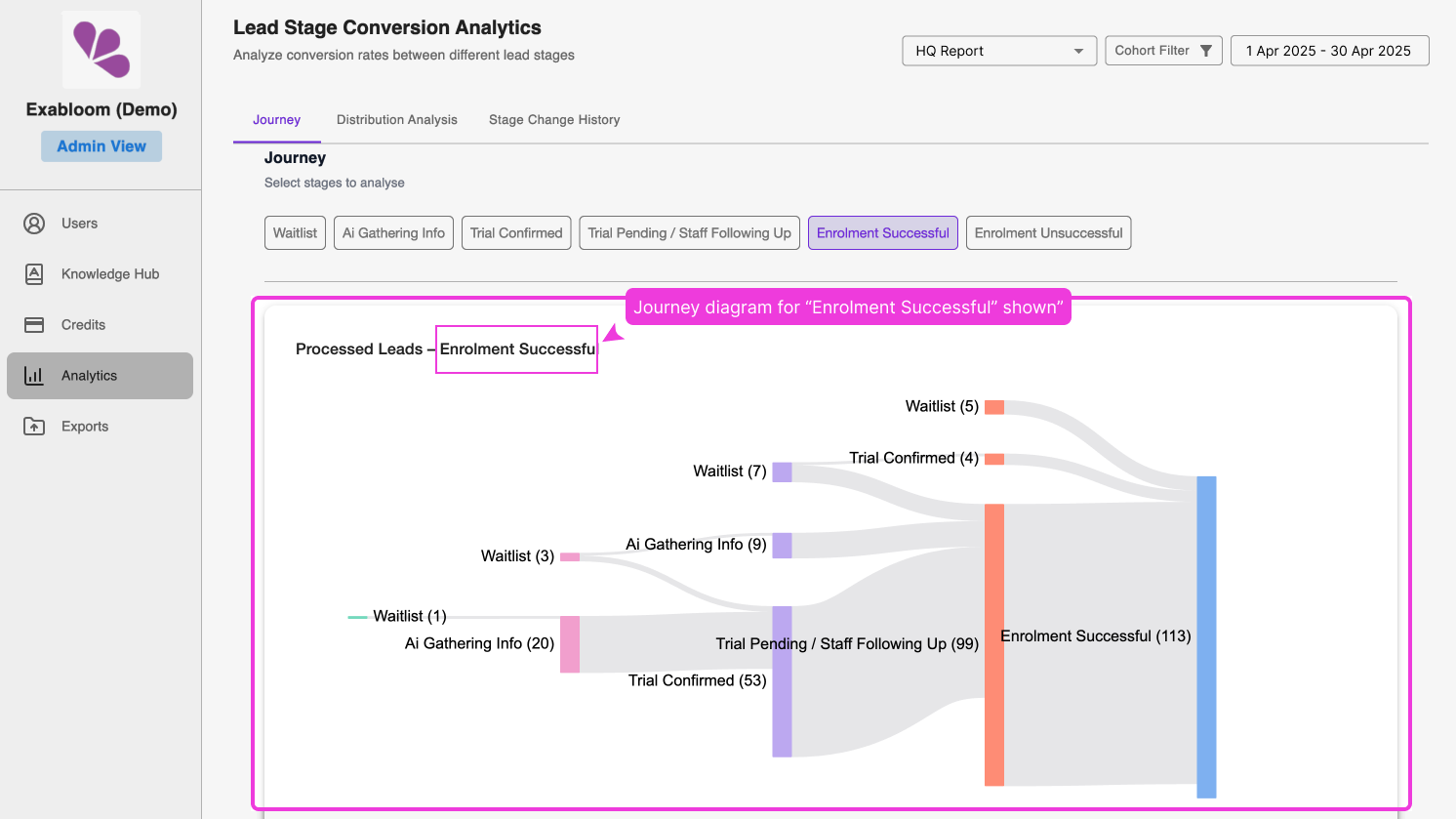
  3. The visualization will update to show the journey to that stage

    journey-selected-stage-diagram.png

Interpreting Results

Example Scenario: You select "Enrolment Successful" stage and see:

  • 113 leads currently in "Enrolment Successful"

  • Journey breakdown:

    • 99 x from "Trial Pending / Staff Following Up"
    • 5 x from "Waitlist"
    • 4 x from "Trial Confirmed"
    • 5 x are leads that are created with stage set to "Enrolment Successful"

What This Tells You:

  • 99 leads signed up immediately without going through trial (Trial Pending / Staff Following Up → Enrolment Successful)

Key Insights to Look For

Successful Conversion Paths

  • Which previous stages consistently lead to your target stage?
  • Are there shortcuts that still result in success?

Process Gaps

  • Are leads skipping important stages?
  • Should you enforce certain stage progression?

Volume Distribution

  • Which previous stages contribute most leads to your target stage?
  • Are there stages that rarely lead to progression?

Comparative Analysis

Run journey analysis on the same stage across different time periods:

  • Compare journey patterns month-over-month
  • Identify seasonal trends in lead behavior
  • Measure impact of process changes over time

Common Questions and Interpretations

"Why don't my numbers add up?"

Missing leads in journey paths usually indicate:

  • Leads created directly in the analyzed stage (bypassing earlier stages)
  • Data import scenarios where leads entered mid-process
  • Manual stage assignments that skipped normal progression

This is normal and provides insight into your lead entry points.

"Should all leads follow the same journey?"

Not necessarily. Different lead sources or types may naturally follow different paths:

  • Referral leads might skip qualification stages
  • Warm leads from marketing might enter further along
  • Cold outreach might require more nurturing stages

"How do I identify the best journey path?"

Look for journey paths that:

  • Have consistent volume flowing through them
  • Lead to high conversion rates in later analysis
  • Align with your intended business process
  • Show reasonable progression timeframes

Optimization Strategies

Based on Journey Insights

Process Refinement

  • Streamline stages that leads commonly skip
  • Add stages where you see gaps in lead development
  • Adjust stage requirements based on actual lead behavior

Resource Allocation

  • Focus efforts on stages that feed your most successful journeys
  • Identify stages that need more attention or resources
  • Plan capacity based on typical journey volumes

Lead Routing

  • Create different processes for different lead types
  • Route leads based on their likely journey path
  • Customize follow-up based on previous stage patterns

Next Steps

After completing journey analysis:

  1. Use Distribution analysis to see current pipeline state