Reset Your Password
If you've forgotten your password, you can reset it from the sign-in page.
Steps
-
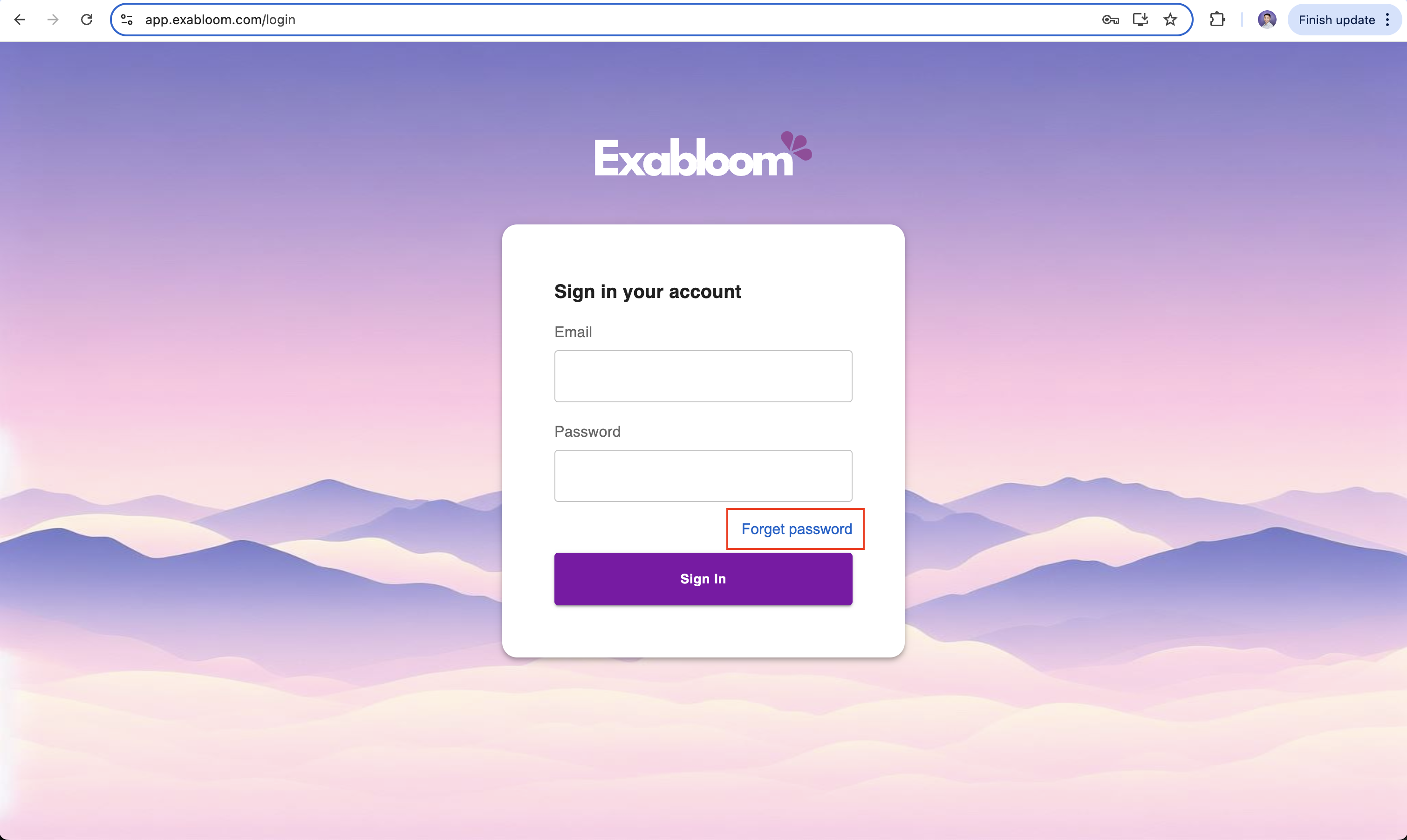
Go to app.exabloom.com/login and click Forgot password.
-
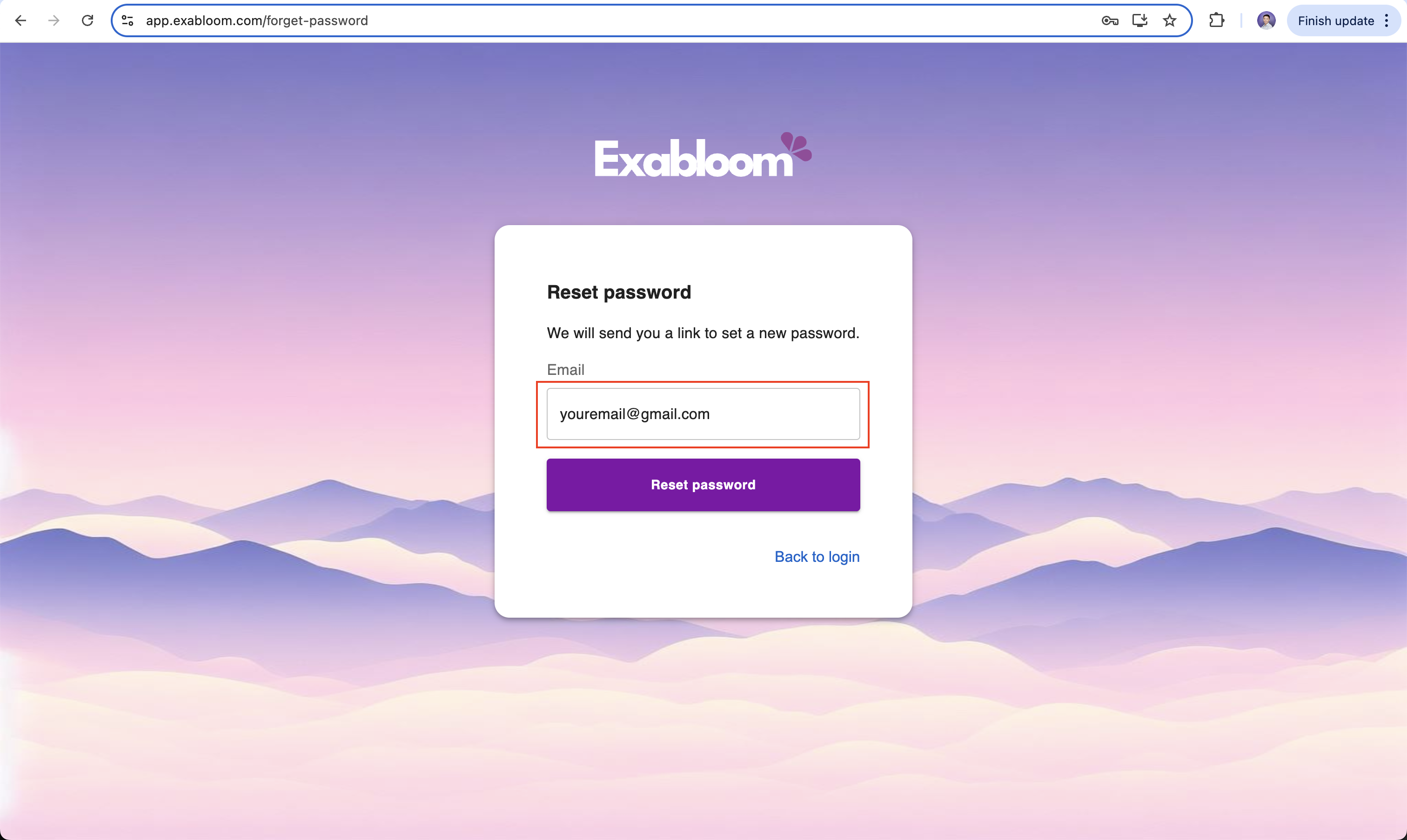
Enter the email address associated with your account.
-
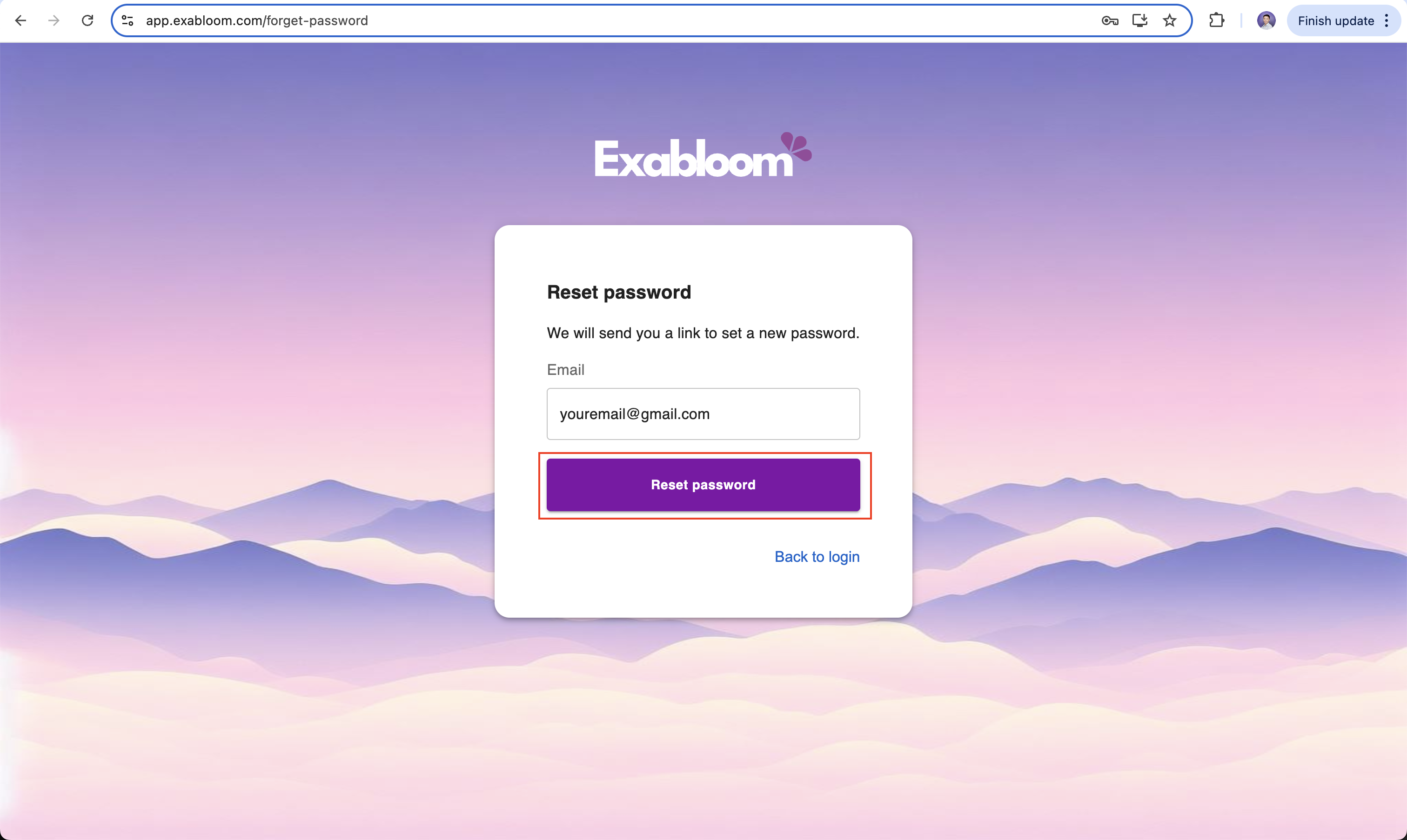
Click Reset password.
-
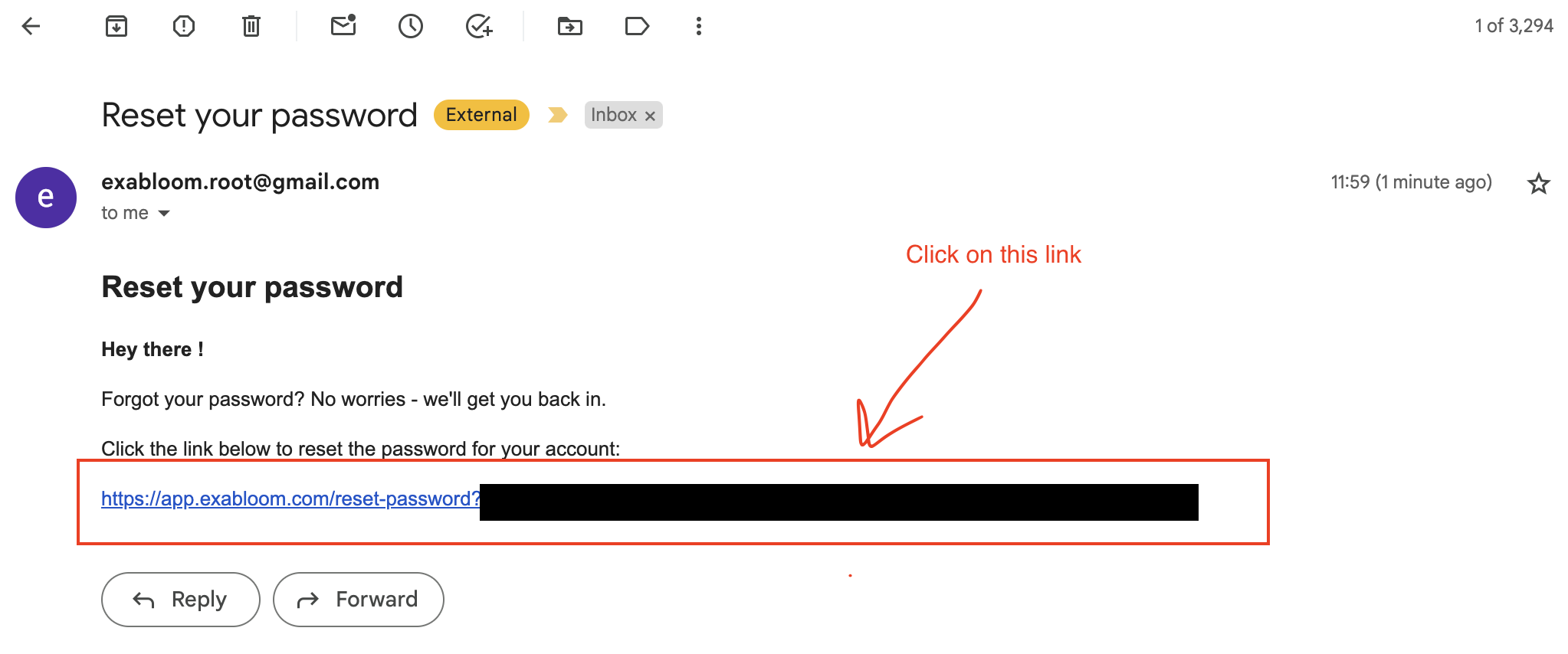
Open the reset email and click the password reset link.
-
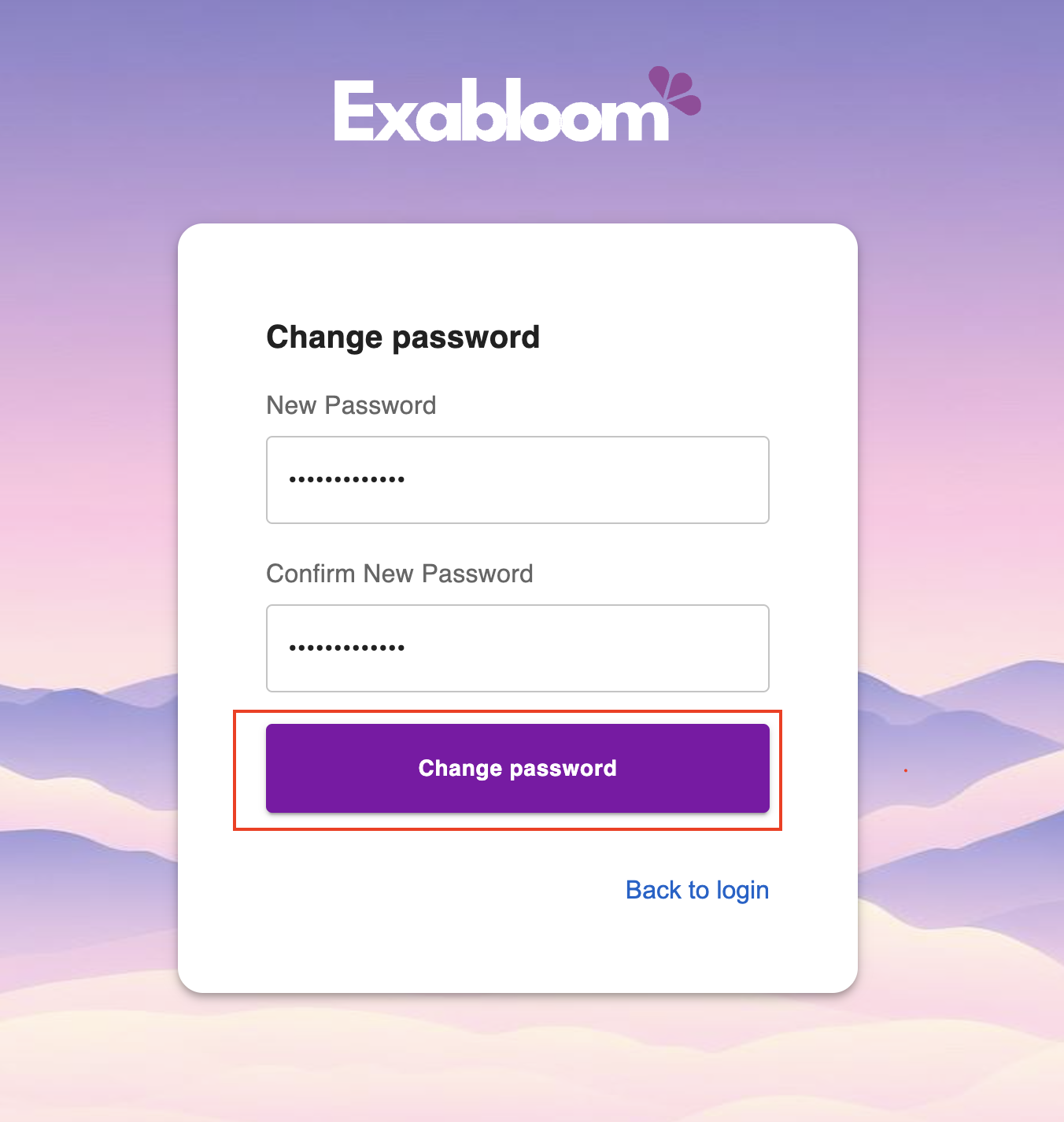
Enter your new password on the Change Password page and click Change password.
-
Return to app.exabloom.com/login and sign in with your new password.
Troubleshooting
Didn't receive the email? Check your spam folder, or click Resend link on the reset password page.