Download a Payment Receipt
Download receipts for WhatsApp Business payments from Meta Business Manager.
Steps
-
Go to business.facebook.com and sign in.
-
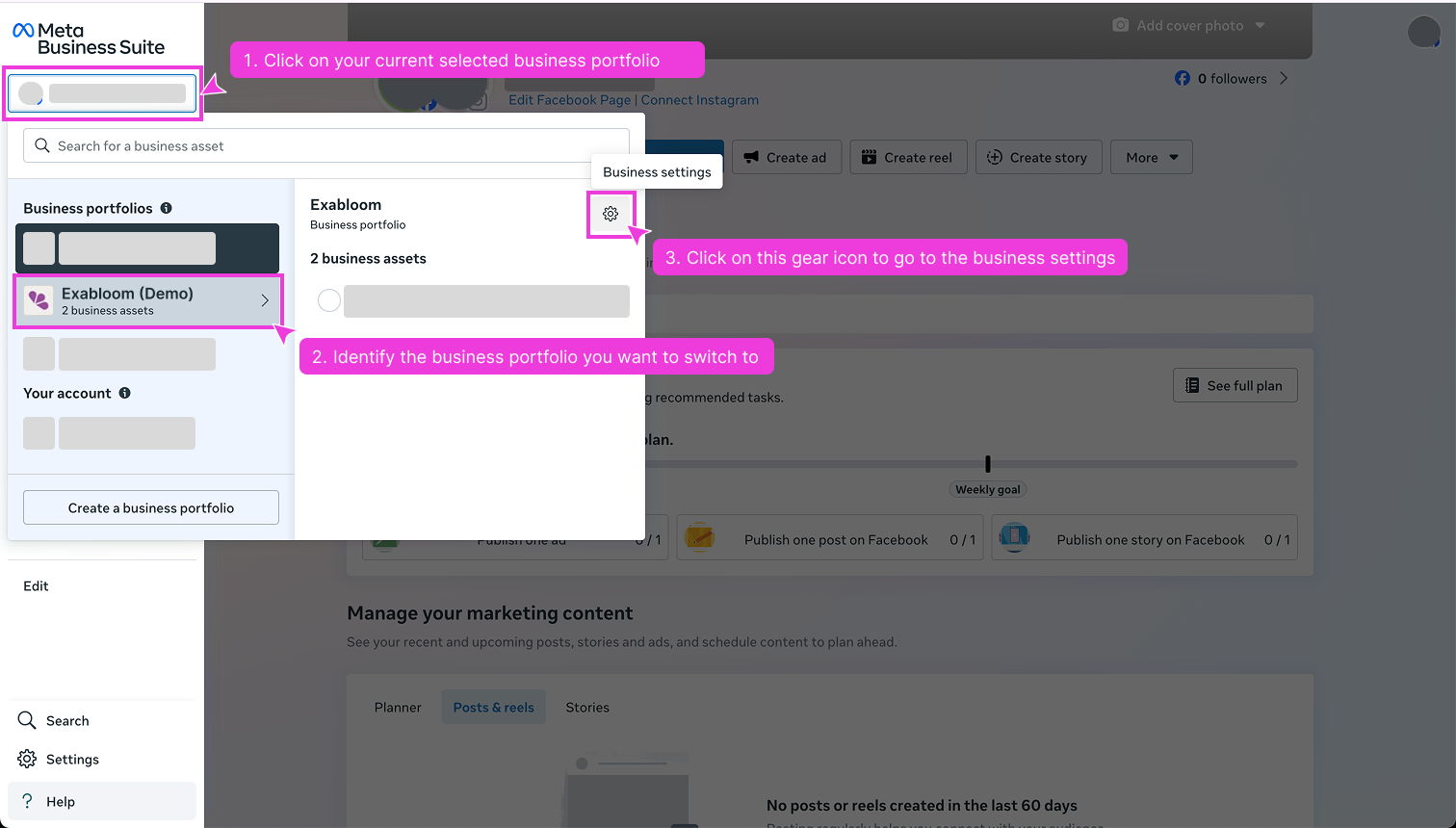
In the left panel, click your Business Portfolio and open Business Settings (gear icon).
-
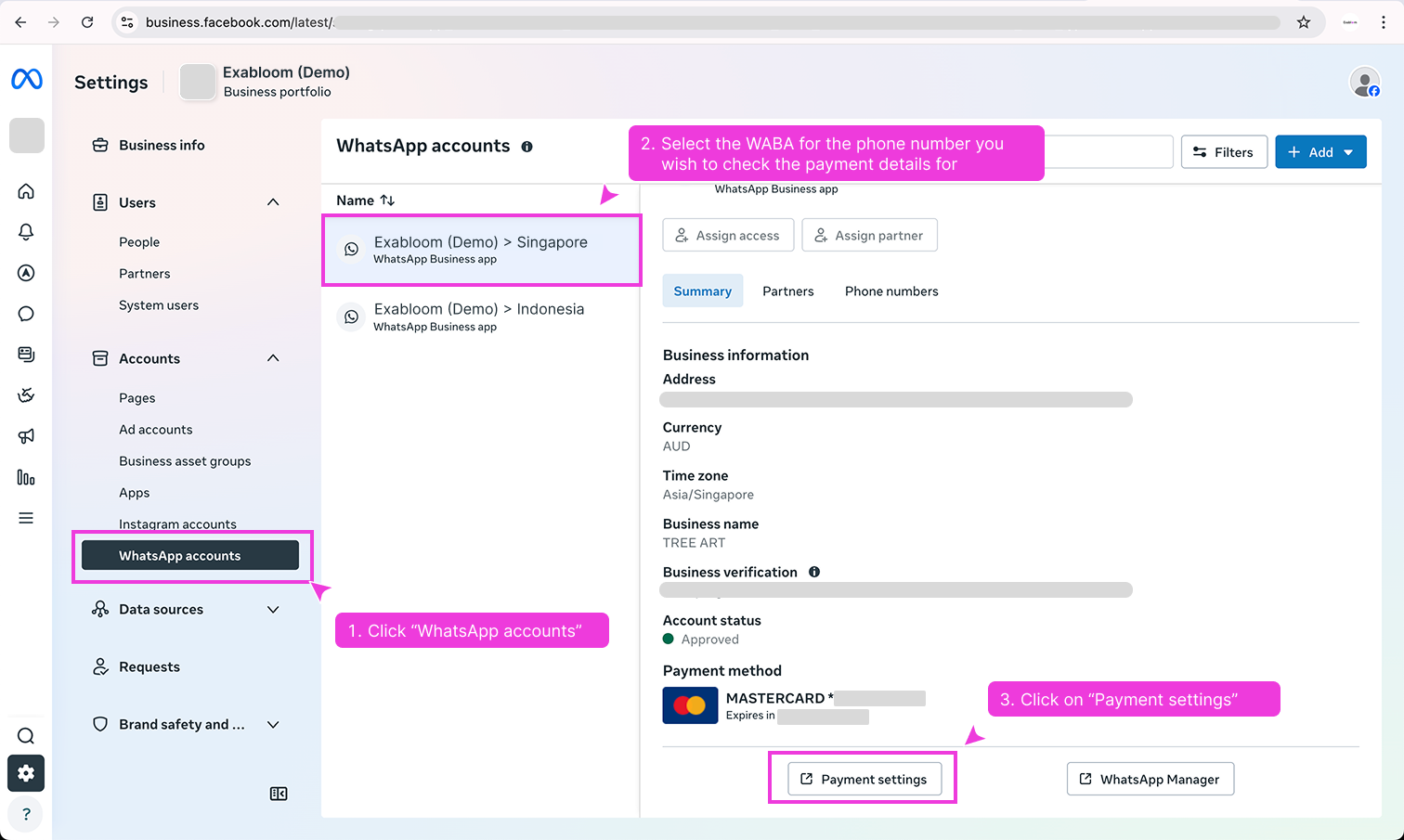
Click WhatsApp Accounts, select your WABA, and click Payment Settings.
-
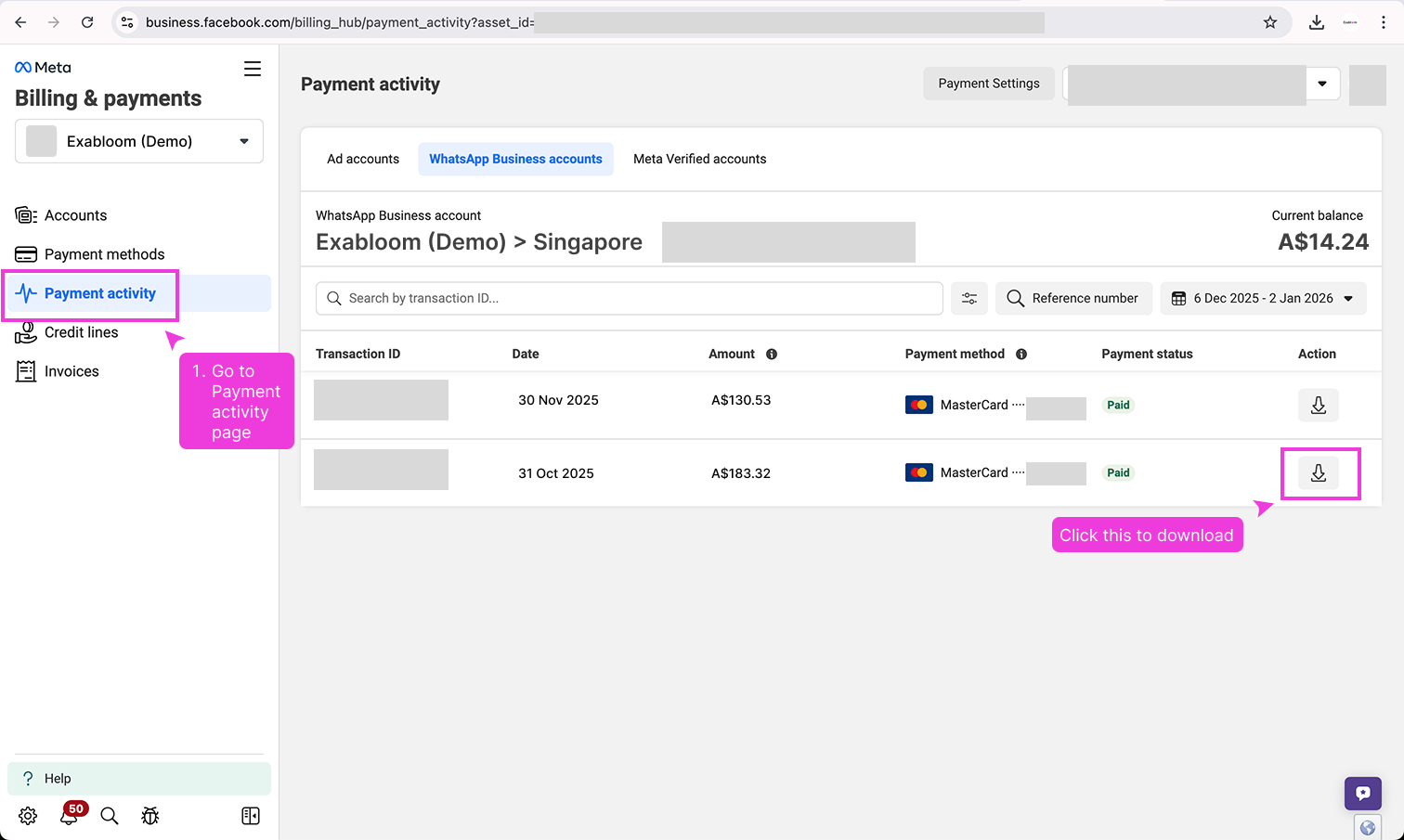
Click Payment activity and download the receipt.