Add a Payment Method
Add a payment method to your WhatsApp Business Account (WABA) so you can send template messages.
Prerequisites
- Admin access to your company's Meta Business Portfolio
Steps
-
Go to business.facebook.com and sign in.
-
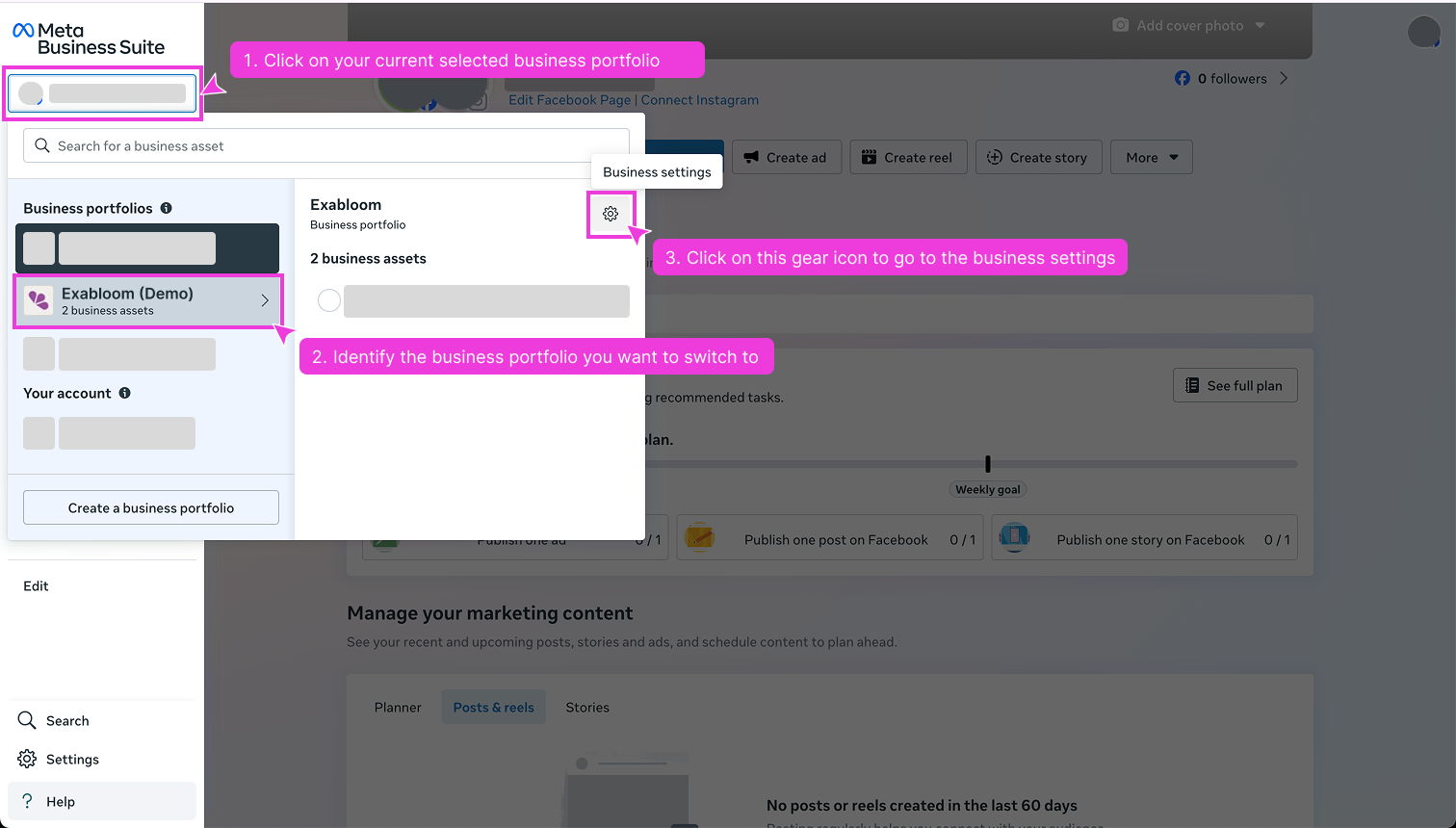
In the left panel, click your Business Portfolio and open Business Settings (gear icon).
-
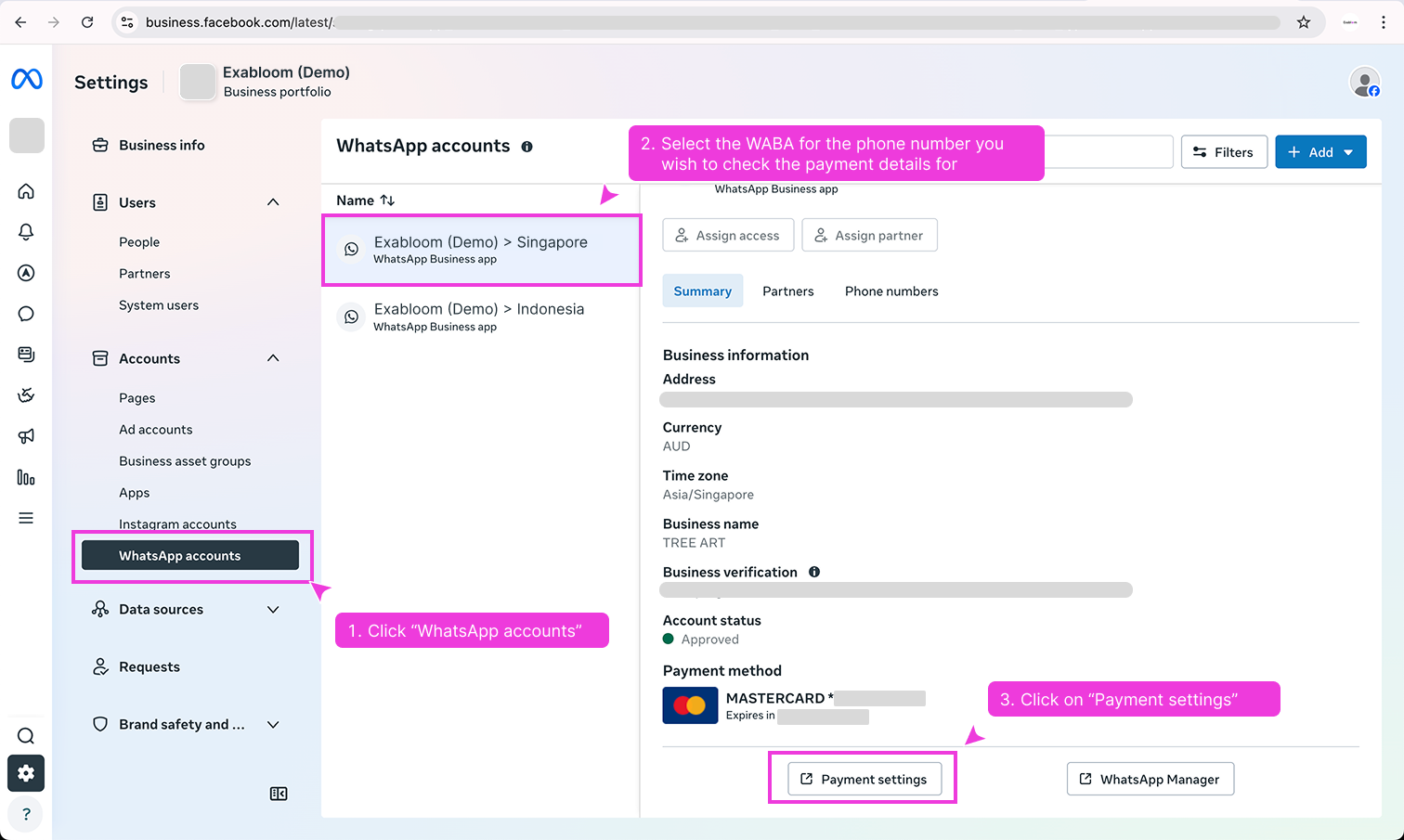
Click WhatsApp Accounts, select your WABA, and click Payment Settings.
-
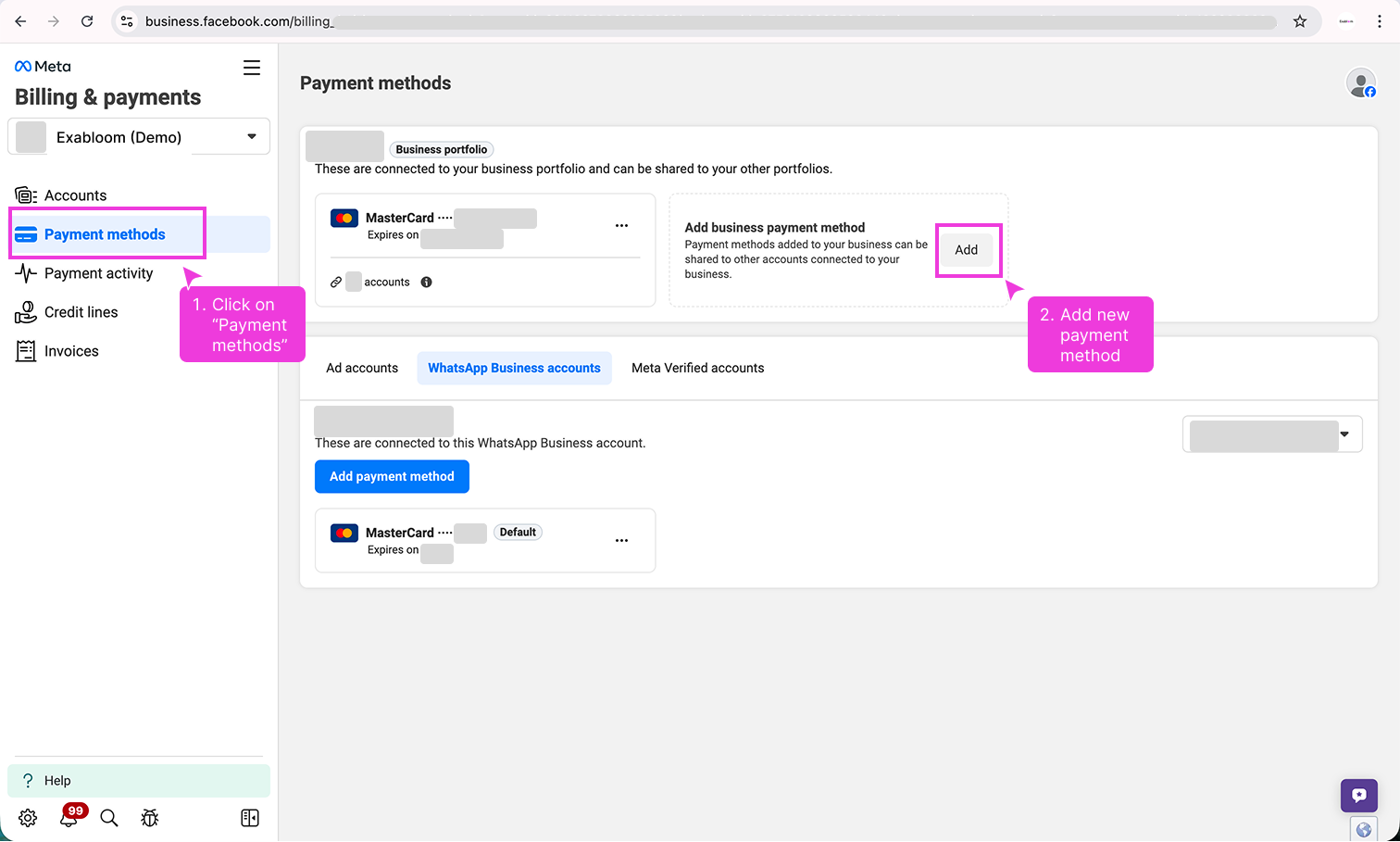
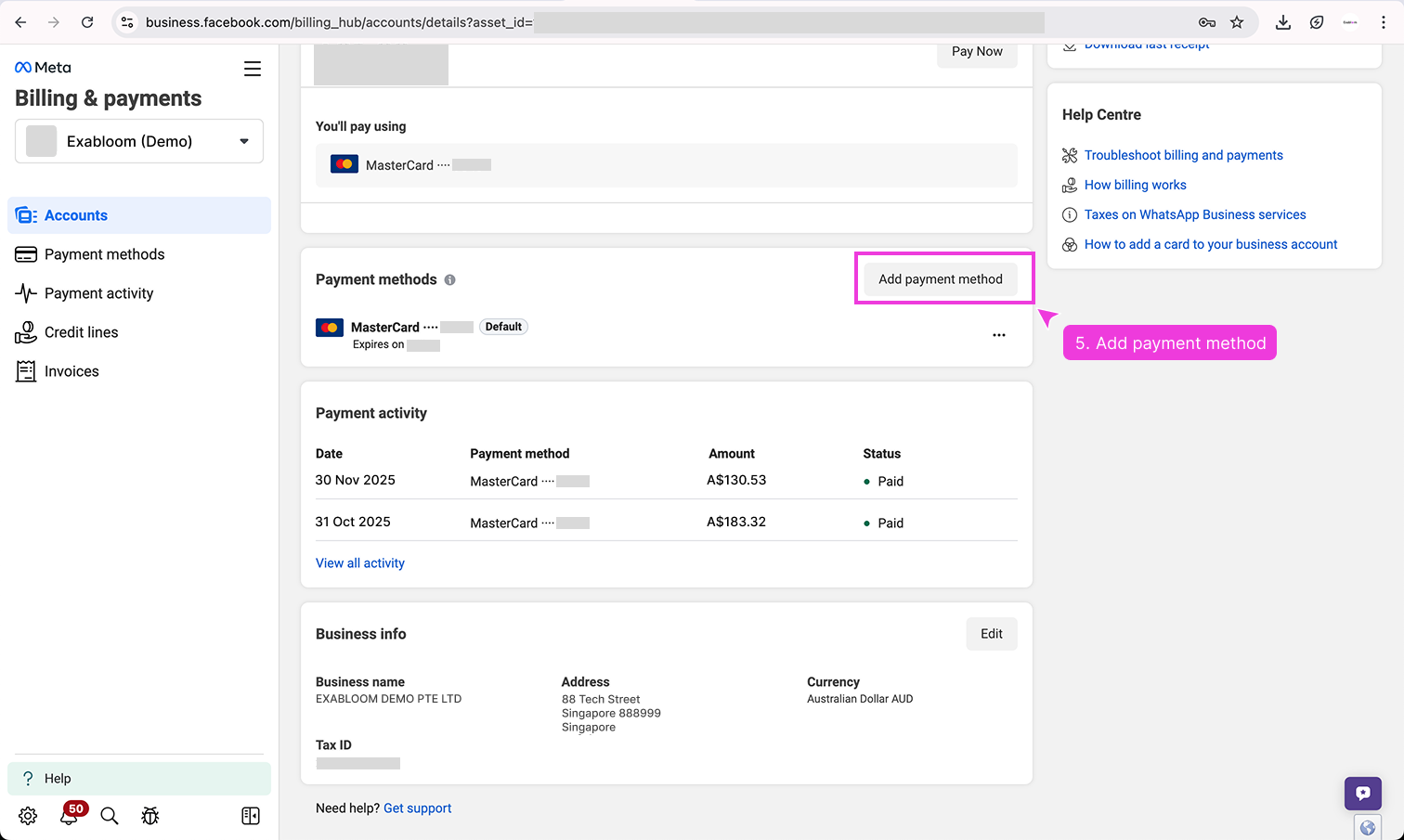
On the Billing Hub page, click Payment methods in the left navigation, then click Add Payment Method.
-
Enter your payment details and save.
-
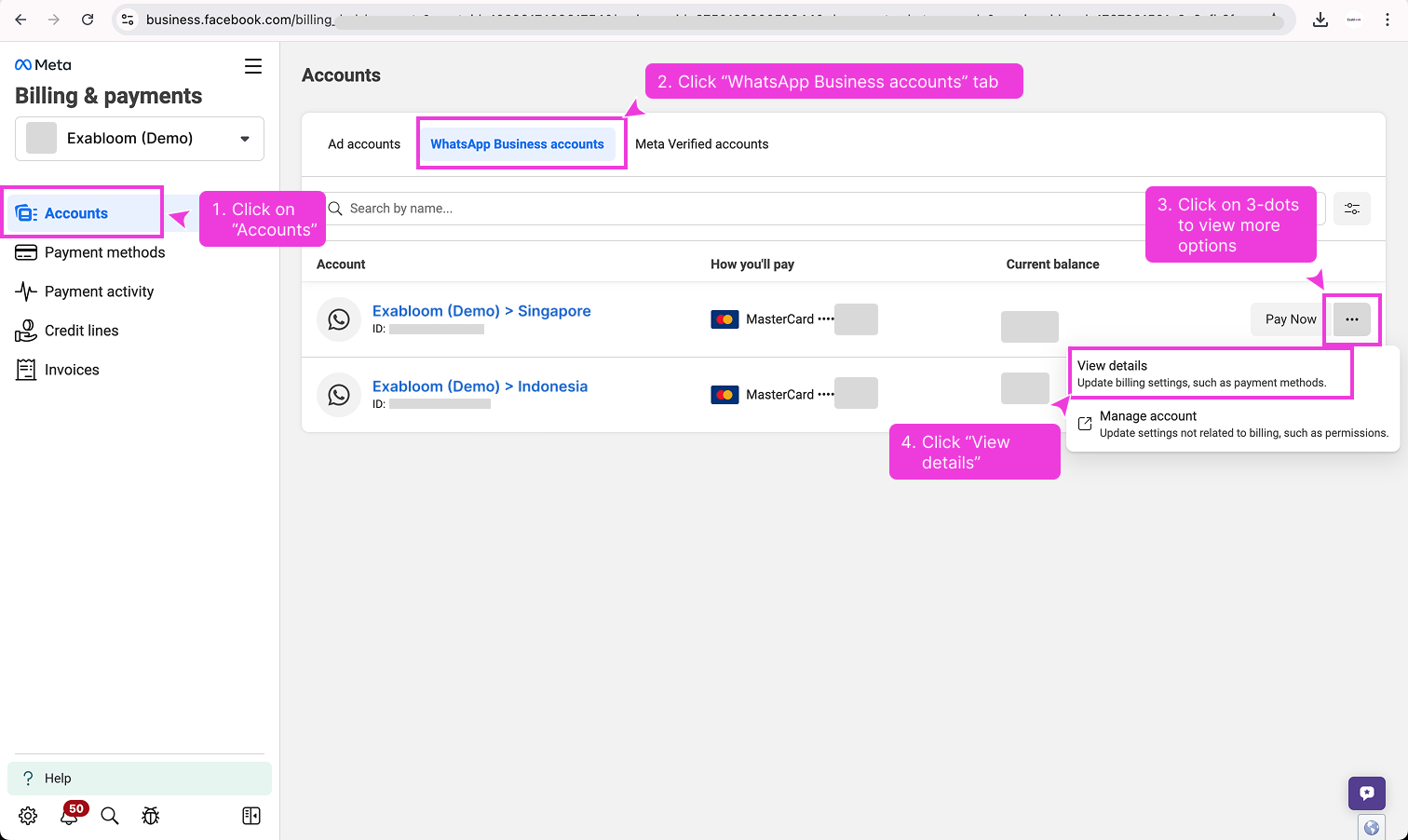
Go back to Accounts > WhatsApp Business accounts and click your account.
-
Click Add payment method, select the method you just added, and set it as default.
Your WABA now has a payment method attached. You can send template messages.