Checking Your WhatsApp Business Payment Method

What You're Checking

You need to verify that your WhatsApp Business Account (WABA) has a payment method attached. Without it, you won't be able to send template messages to customers.

What is a WABA?

WABA stands for "WhatsApp Business Account"—the official account your company uses to message customers through WhatsApp.


Quick Steps

1. Sign In to Facebook Business Manager

  1. Go to https://business.facebook.com/
  2. Sign in with your Facebook account (you need full access to your company's Business Portfolio)

2. Navigate to Business Settings

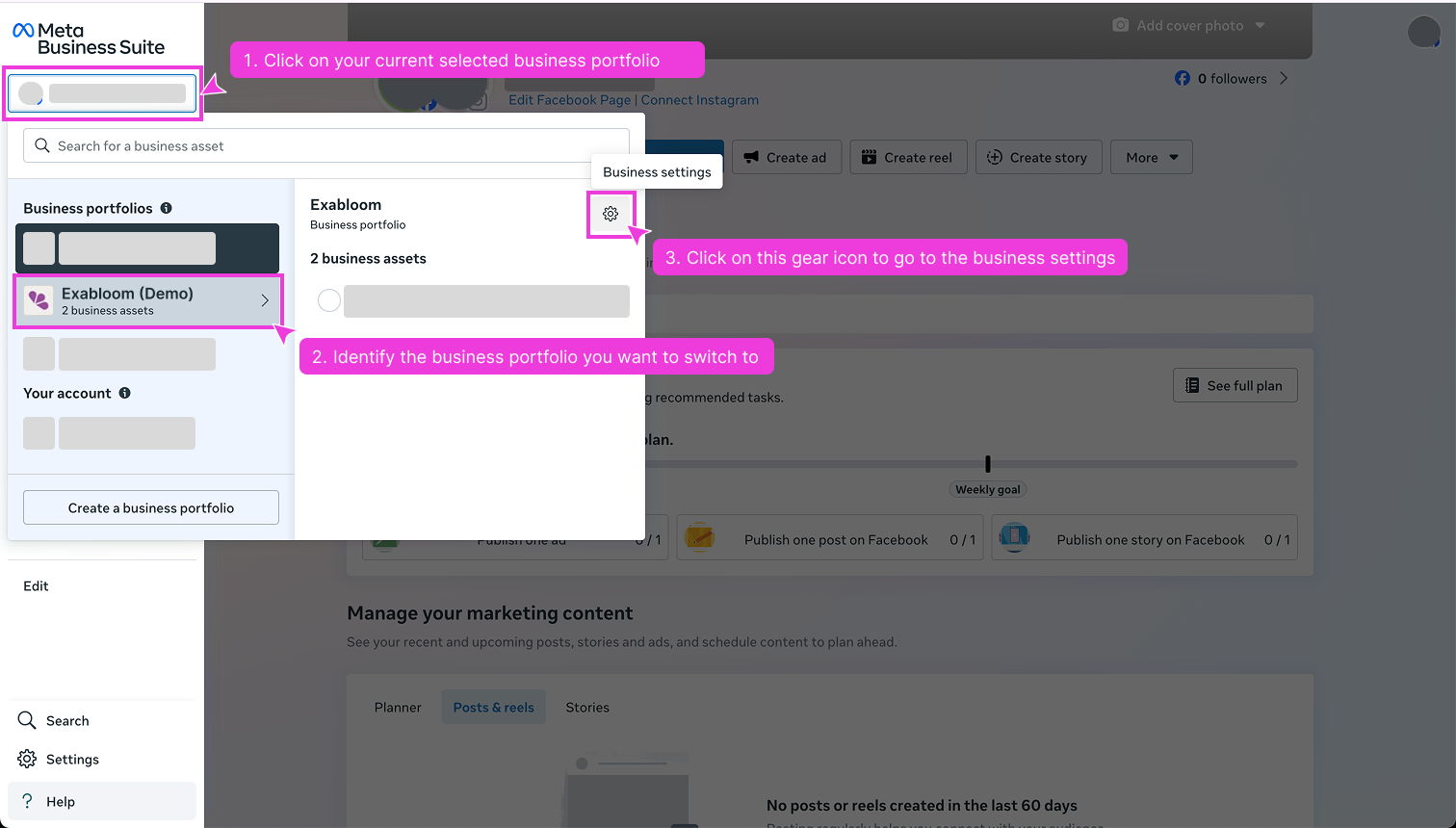
Navigate to Business Portfolio Settings

  1. On the left panel, find and click your company's Business Portfolio
  2. Click the gear icon (⚙️) next to it to open Business Settings

3. Check the Payment Method

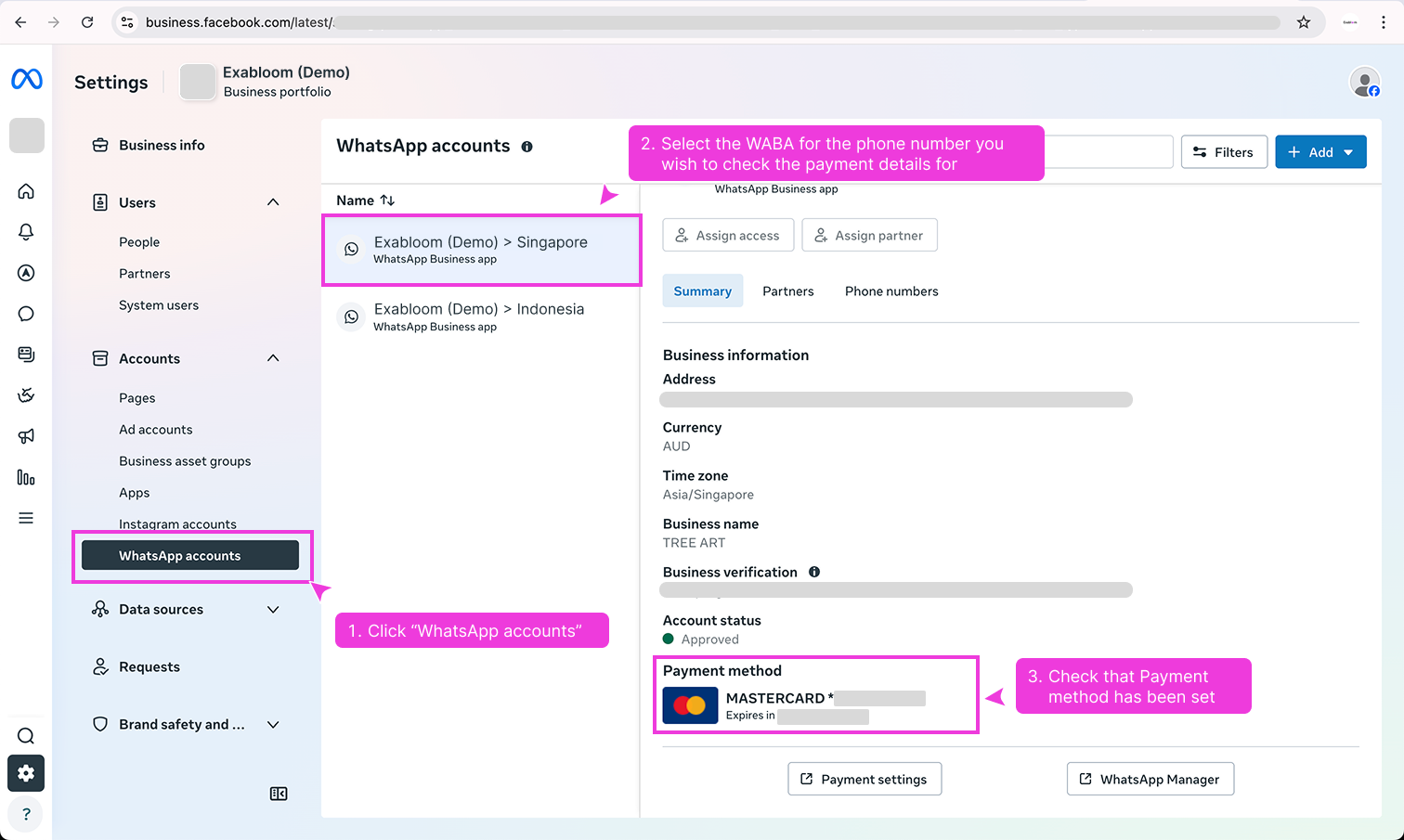
Verify Payment Method

  1. Click "WhatsApp Accounts" in the left sidebar
  2. Select your WABA from the list
  3. Look for the "Payment Method" section—it should show a credit card or bank account
Success!

If you see a payment method listed (e.g., "Credit Card ending in 1234"), you're all set! ✅

No Payment Method?

If it's empty, contact your manager or IT department—someone with financial access needs to add one before you can send template messages.