Organising contacts into folders
With the Custom Folder feature, you can organize contacts based on specific filters, allowing you to quickly access groups of contacts with shared characteristics, such as tags or other criteria.
Example Scenario
Imagine you want a quick way to access contacts who have purchased the “Beginner Art Class.” You’ve tagged these contacts with “course-beginner-art-class”. By creating a Folder with this filter, you can easily locate these contacts in the future.
Steps to Create a Custom Folder
-
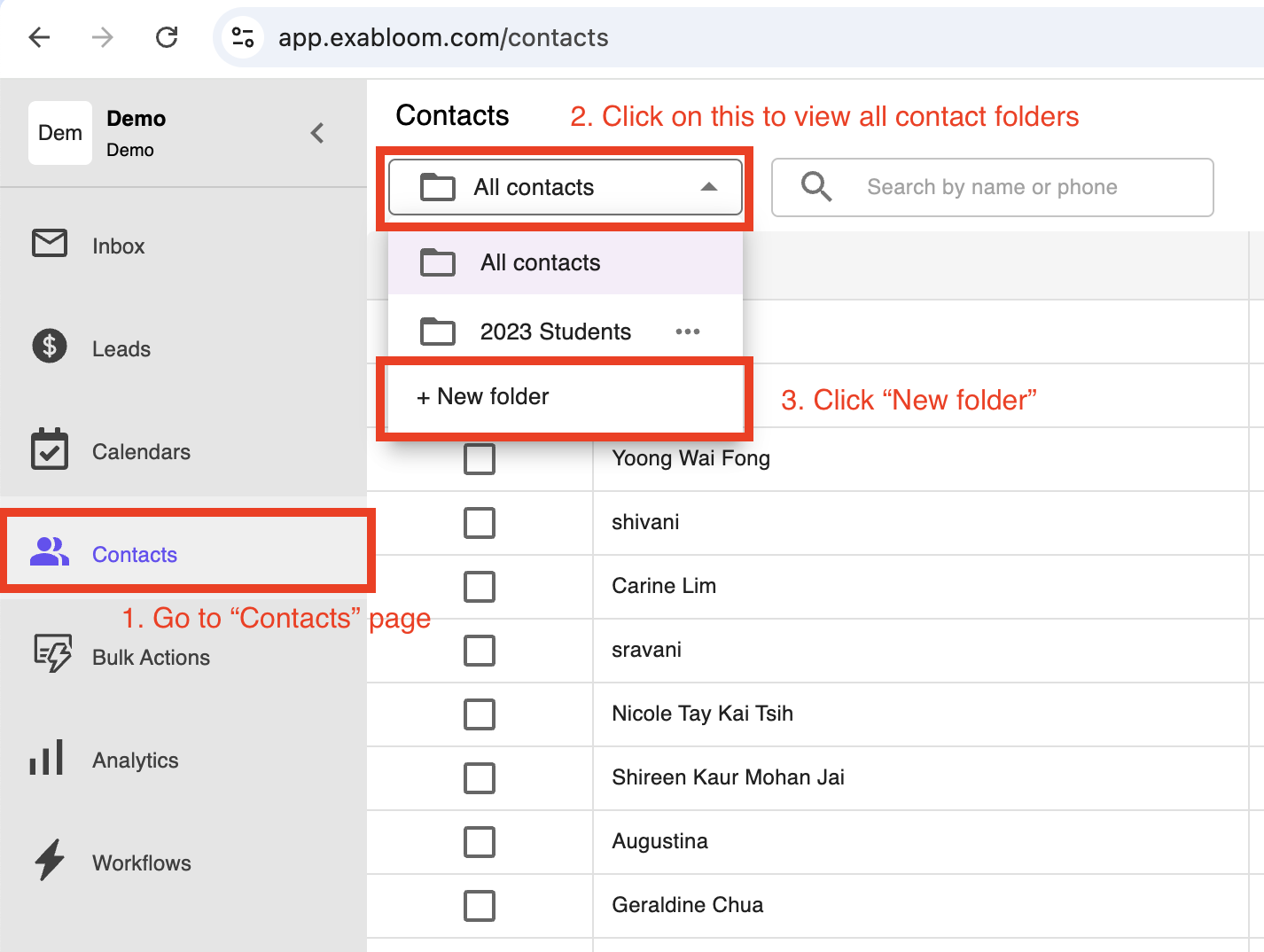
Go to “Contacts” page > Click “New folder”

-
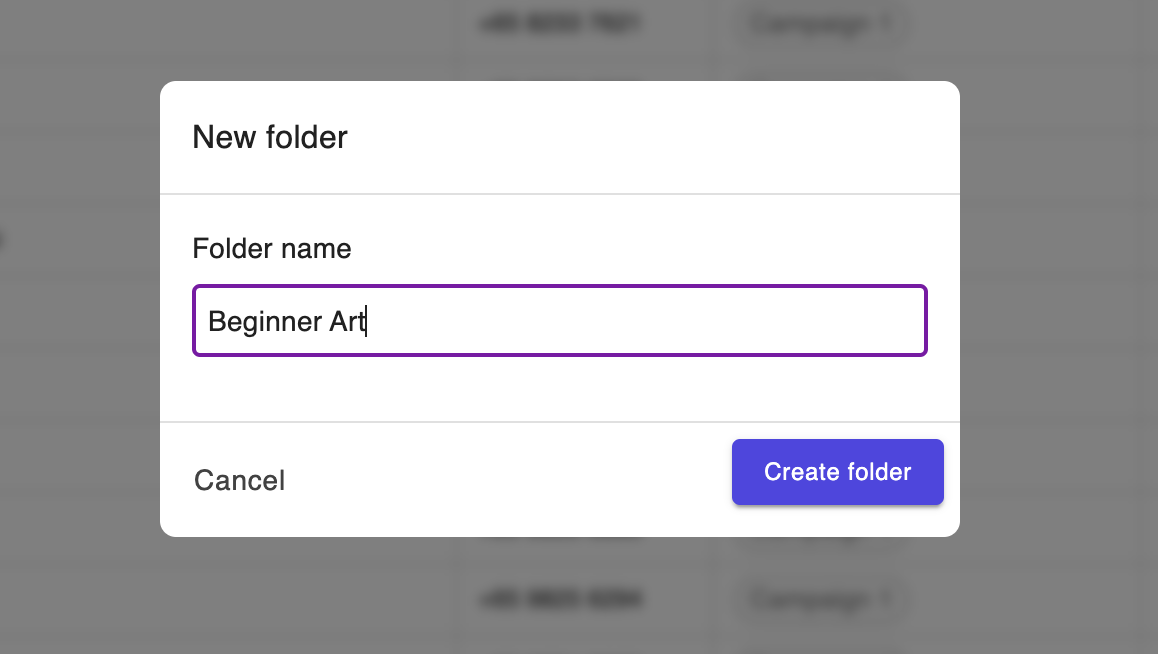
Name the Folder

A prompt will appear asking you to name this Folder. Choose a descriptive name, such as “Beginner Art”, then confirm the name to proceed by clicking “Create folder”
-
Specify Filter Conditions
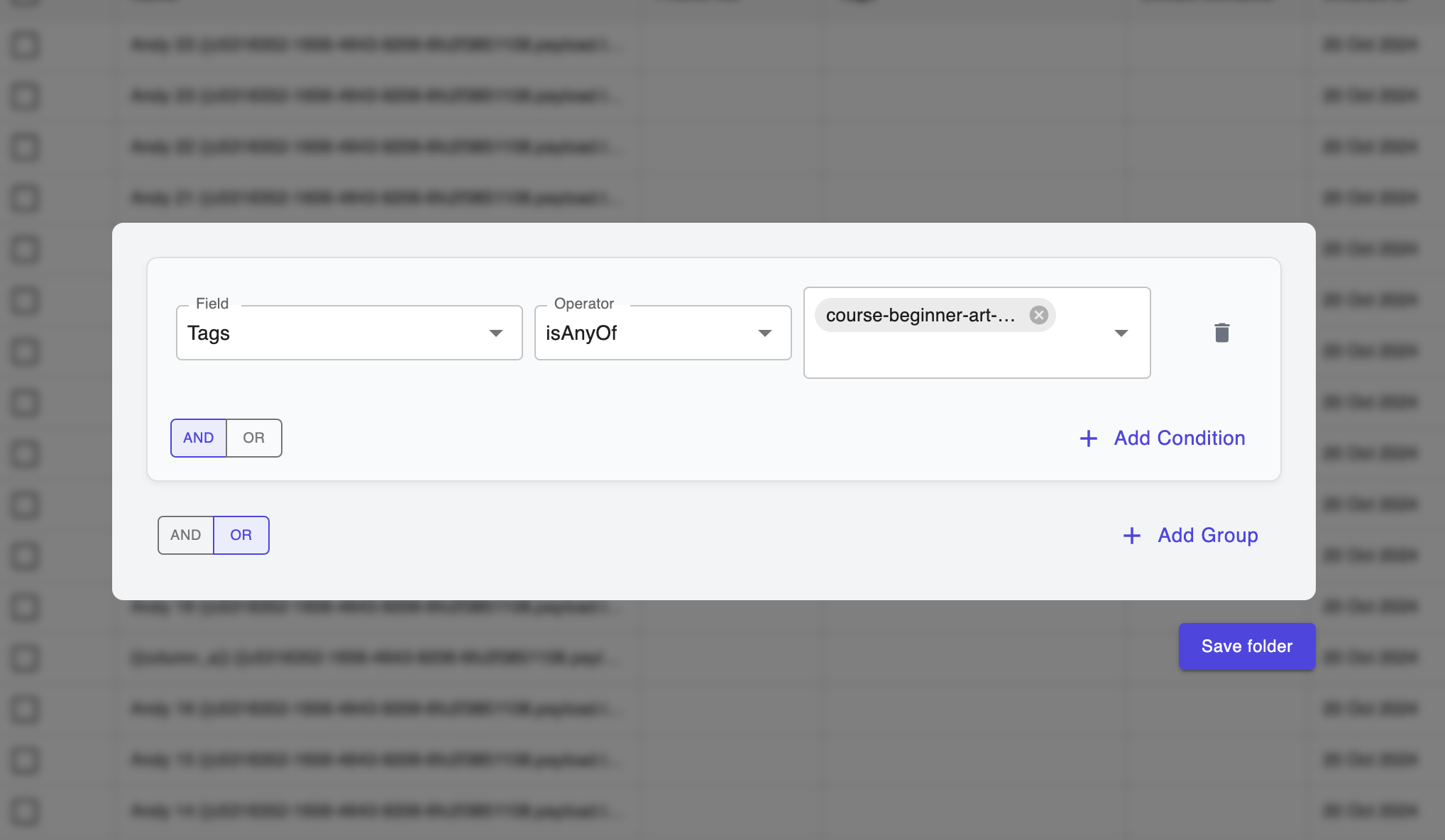
After naming the Folder, set the conditions that define which contacts will appear in this Folder:- Choose Tags as the filter field
- Set the condition to Any Of.
- Enter “course-beginner-art-class” as the tag to filter contacts who purchased the Beginner Art Class.
-
Save the Folder Once you have set the filter conditions, save the Folder. This new Folder will now be accessible as a quick-access folder under your Contacts.
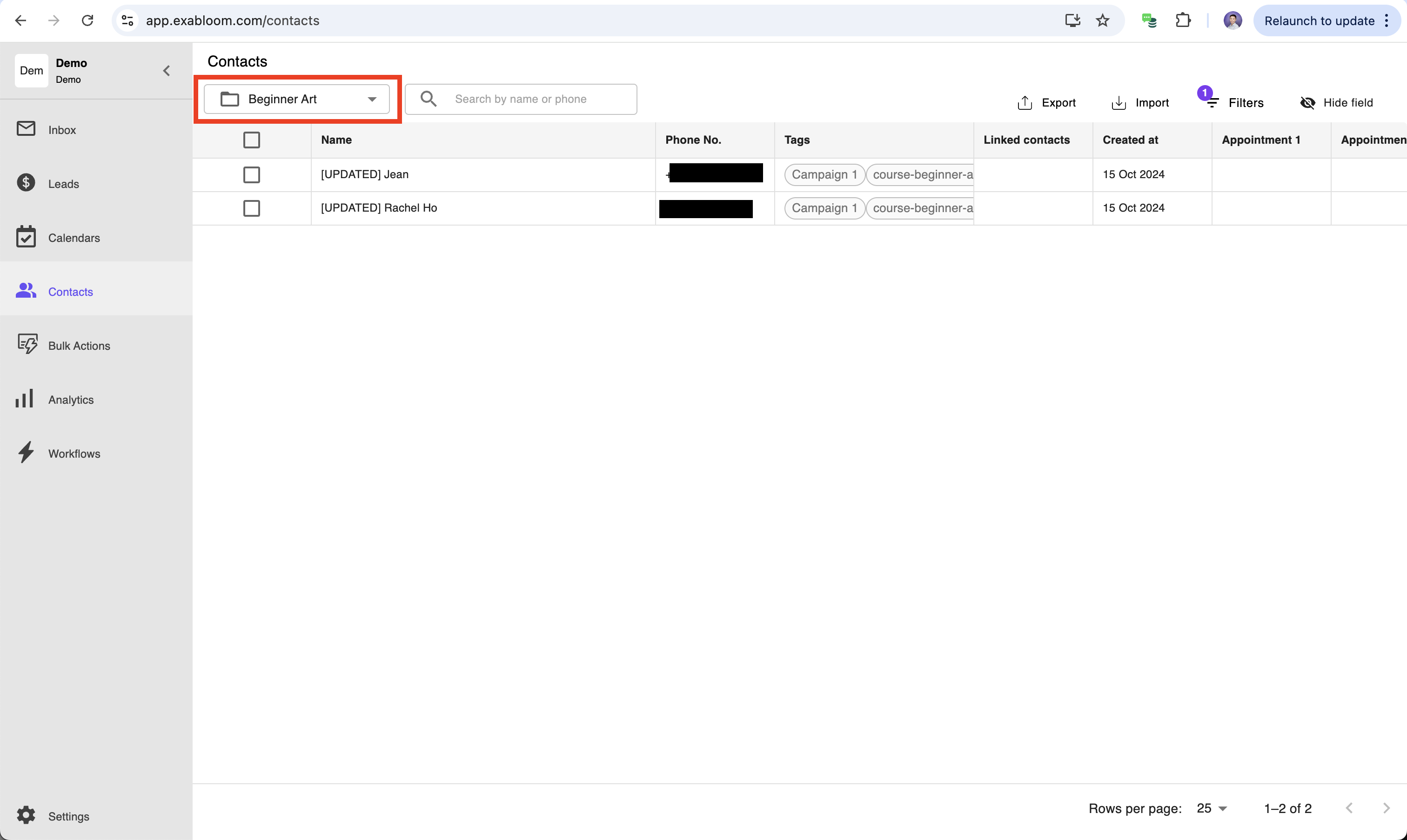
Once folder is saved, you’ll see the filtered contacts in the folder. In this case “Beginner Art” folder only has 2 contacts.

With that, you've successfully created a new folder for all contacts who have purchased "Beginner Art Class".