Create Lead When Form Submits

⏱️ Estimated time: 10-15 minutes

Prerequisites

Before starting, ensure you have:

  • Completed Guide 1: "Create Your First Form"
  • Completed Guide 2: "Send WhatsApp When Form Submits"
  • A published workflow that sends WhatsApp messages
  • Understanding of your sales pipeline stages

What You'll Accomplish

By the end of this guide, every form submission will automatically create a lead record in your sales pipeline. This means you can track, manage, and follow up on every potential customer systematically.

The Complete Flow:

Form Submission → Contact Created → WhatsApp Sent → Lead Generated → Sales Process Begins

Why Create Leads Automatically?

Without lead creation: Form submissions just create contacts - no sales tracking, no pipeline management, no systematic follow-up.

With automated lead creation: Every inquiry becomes a trackable opportunity with stages, notes, and follow-up reminders.

Add Lead Creation to Your Existing Workflow

Step 1: Edit Your Current Workflow

  1. Navigate to Your Workflow

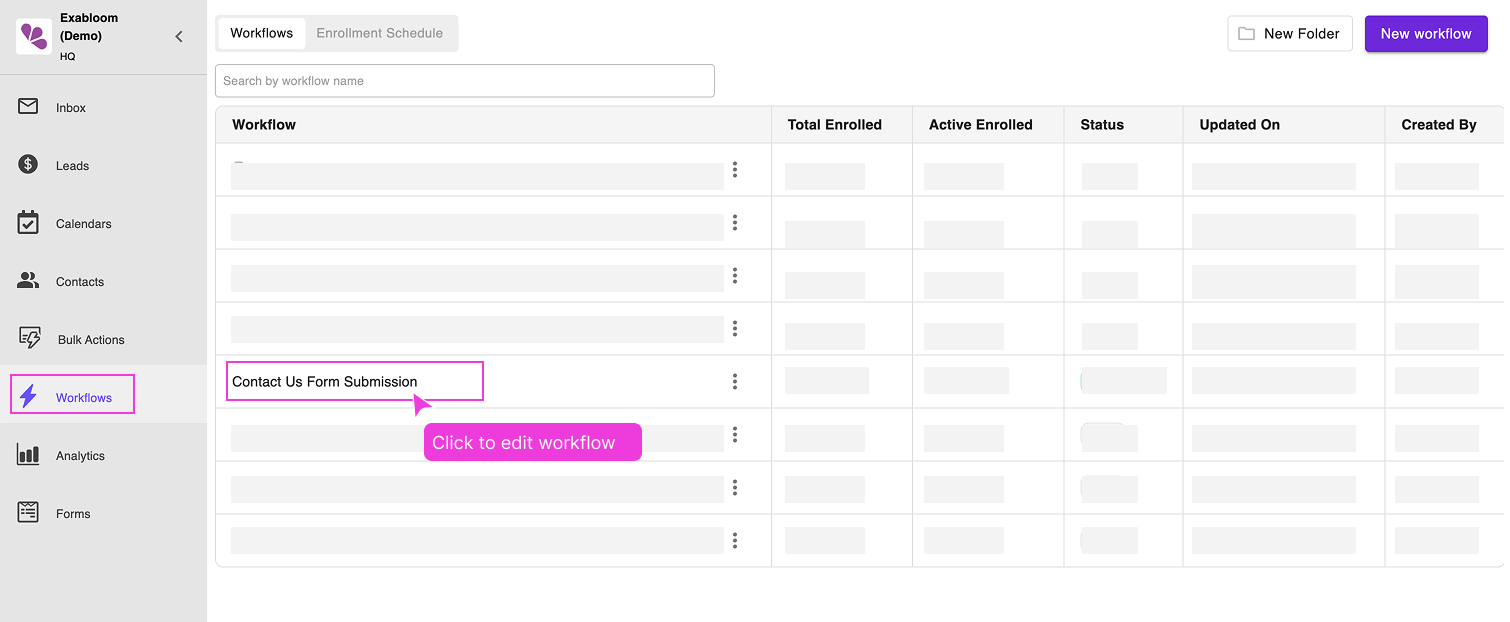
    Go to "Workflows" and click on "Contact Us Form Submission" (the workflow from the previous guide)

    navigate-to-edit-workflow.png

Step 2: Add Lead Creation Action

  1. Add the Lead Action

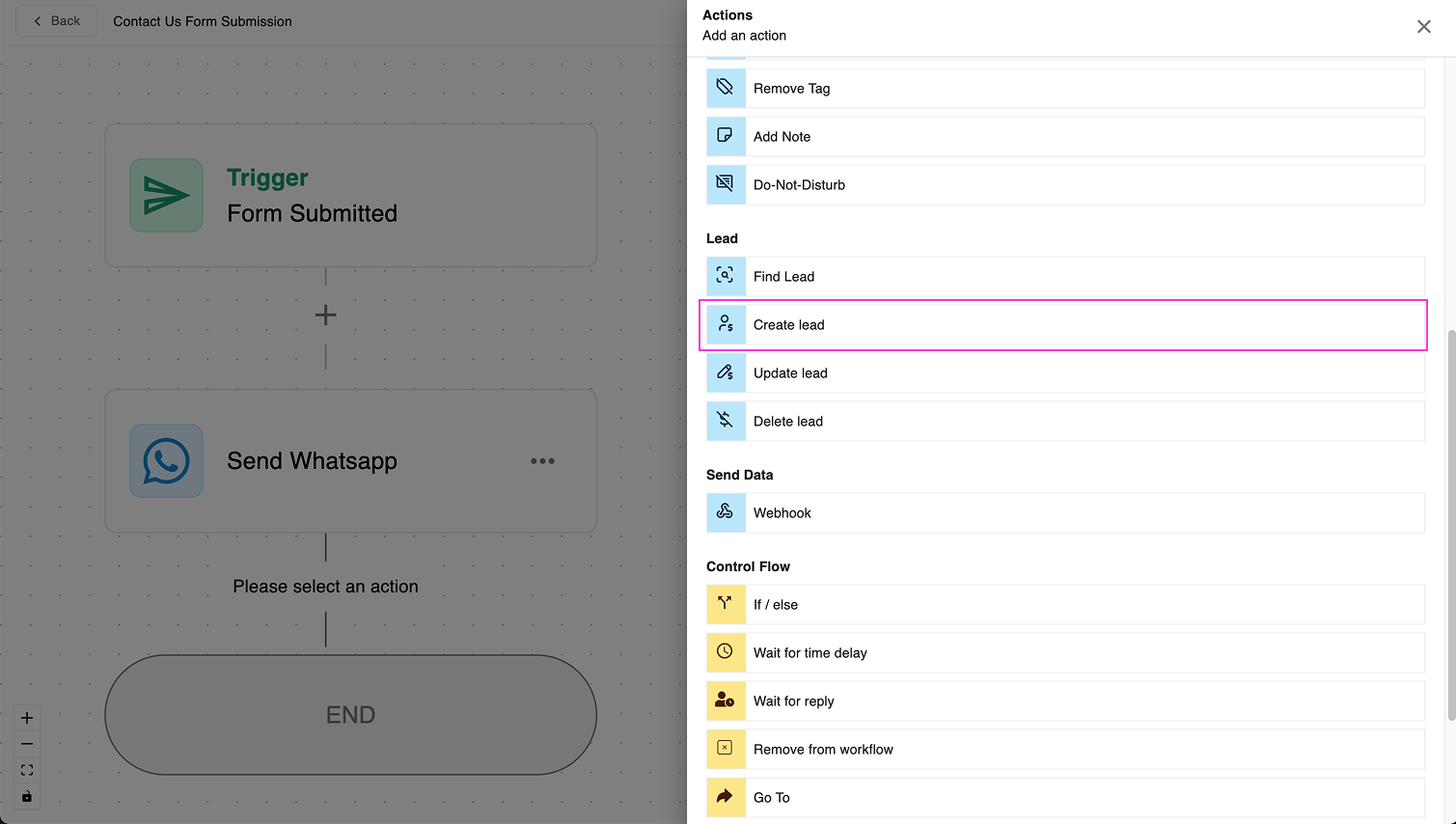
    Below your existing "Send WhatsApp" action, click the plus icon (+) and select "Create Lead"

    choose-create-lead.png

Step 3: Configure Lead Settings

  1. Set Up Lead Creation

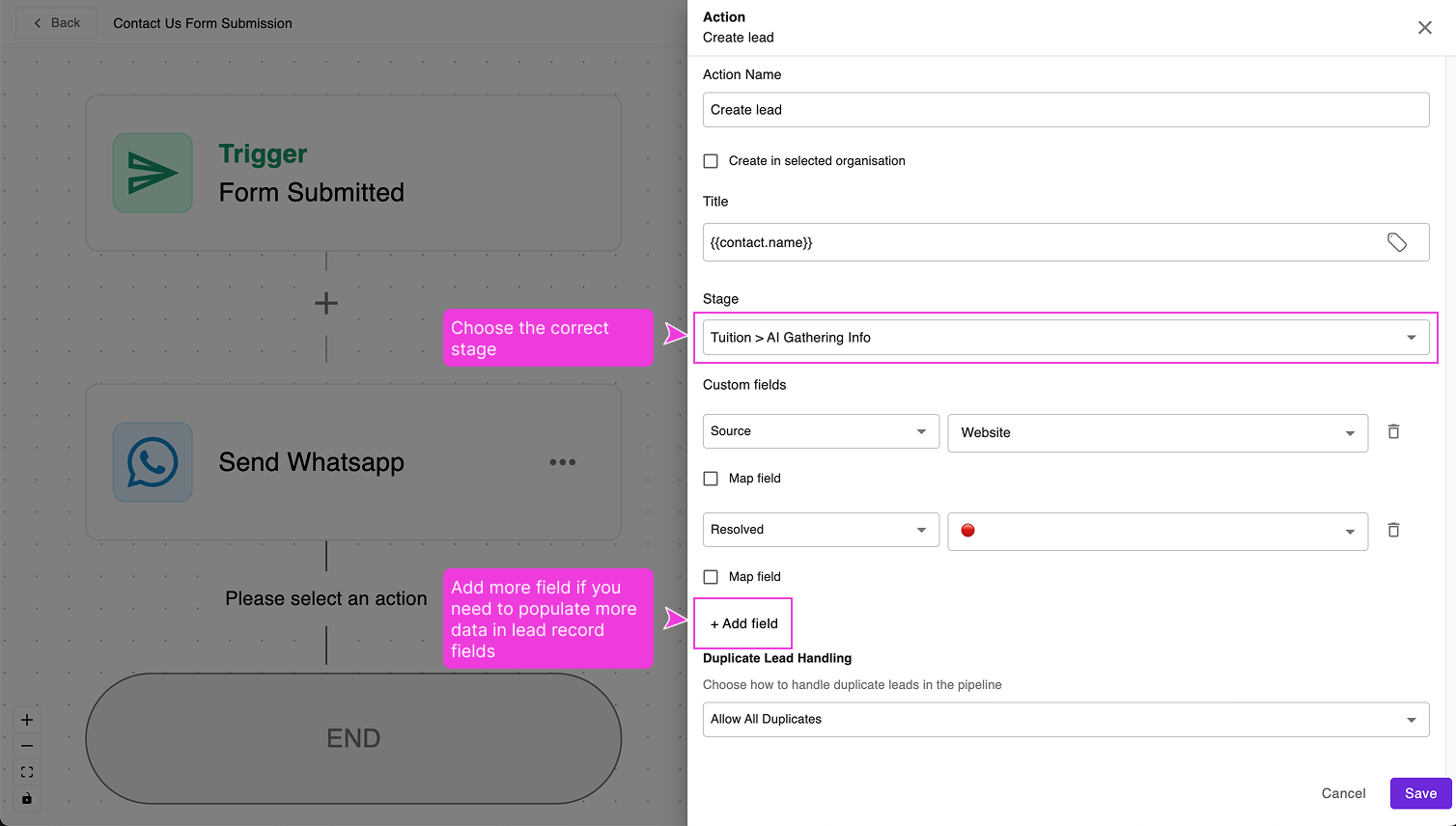
    Configure the "Create Lead" step with these essential settings:

    setup-create-lead.png

    Required Fields:

    • Stage: Choose the appropriate pipeline stage for new leads

    Recommended Custom Fields:

    • Source: "Website Contact Form" (helps track where leads come from)

    💡 Pro tip: Consistent lead categorization helps you analyze which sources generate the best customers.

  2. Save the Configuration

    Click "Save" to add this action to your workflow.

Step 4: Publish the Enhanced Workflow

  1. Activate Your Updates

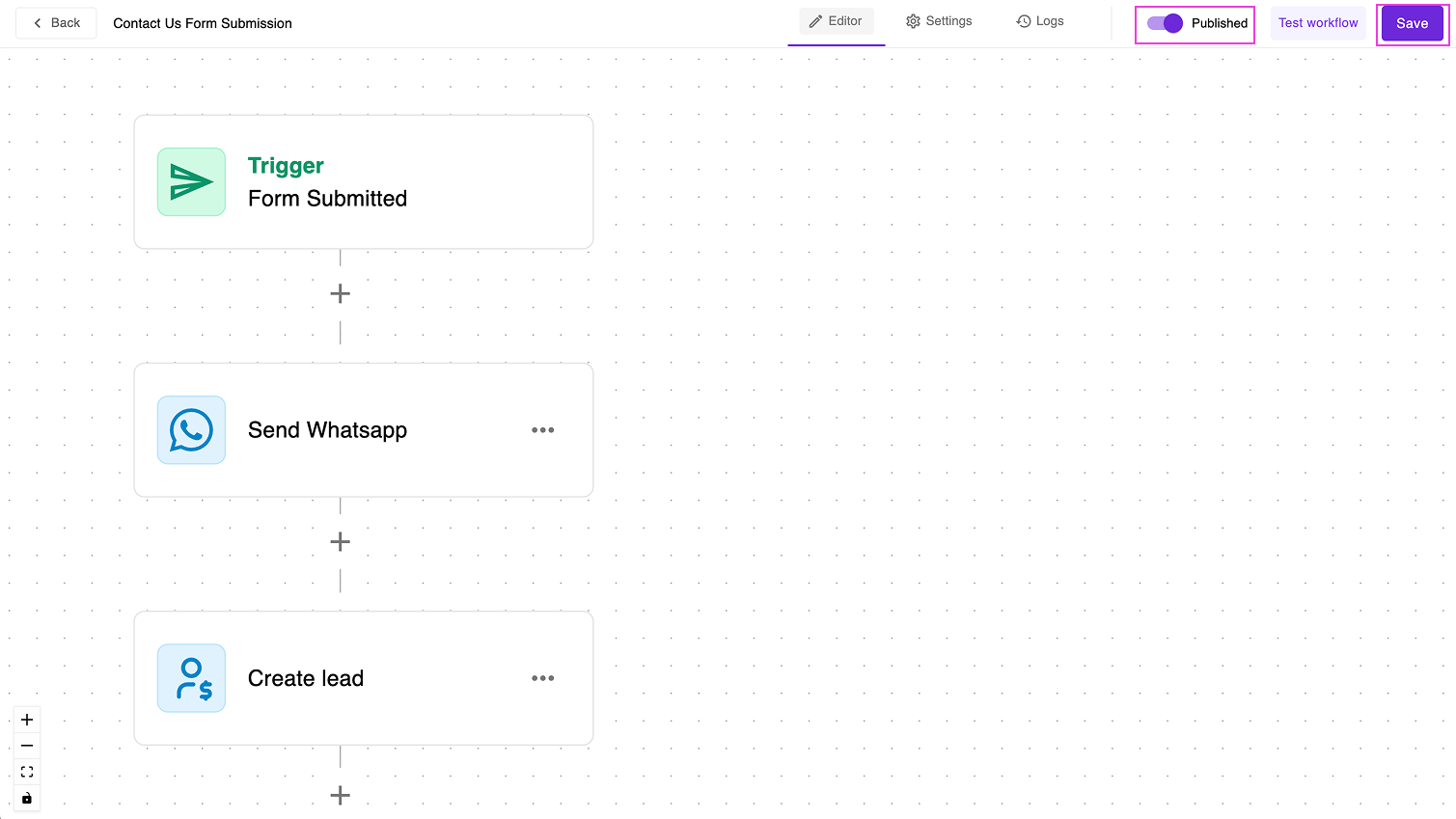
    Ensure "Published" is toggled ON and click "Save" to make your changes live

    publish-and-save.png

    🎉 Your complete automation is now active!

Test Your Complete Setup

Comprehensive Testing

  1. Submit a Test Form

    Go to your form preview and submit another test entry

  2. Verify All Three Actions Work:

    Check that:

    Contact Created: Contact appears in "Contacts" page (if contact already exists, no change)

    WhatsApp Sent: You receive the WhatsApp message

    Lead Generated: New lead appears in "Leads" page with correct stage

  3. Check Lead Details

    In the "Leads" page, click on your new lead to verify:

    • Correct pipeline stage
    • Proper contact information
    • Custom fields filled correctly
    • Source tracking information

Understanding Your Lead Pipeline

What happens after lead creation:

  1. Lead appears in your chosen pipeline stage
  2. You can add notes, set follow-up reminders
  3. Move leads through stages as they progress
  4. Track conversion rates and sales performance

Troubleshooting

Lead not created?

  • Verify the workflow includes the "Create Lead" action
  • Check that the workflow is published
  • Ensure you selected a valid pipeline stage
  • Wait up to 1 minute and refresh the Leads page

Lead created but missing information?

  • Review custom field mappings in the Create Lead action
  • Verify required fields are properly configured
  • Check that form fields match lead field expectations

Lead in wrong stage?

  • Edit the workflow → modify Create Lead action → select correct stage
  • Save and republish the workflow

Multiple leads being created for same person?

  • This is normal behavior - each form submission creates a new lead (if you allow duplicate)

What You've Built

🏆 Congratulations! You now have a complete lead generation system:

  1. Professional Contact Form → Captures visitor information
  2. Instant WhatsApp Confirmation → Builds trust and engagement
  3. Automatic Lead Creation → Enables systematic sales follow-up
  4. Pipeline Management → Tracks opportunities through to closure

Before You Finish

Final Checklist:

  • Workflow includes all three actions (contact, WhatsApp, lead)
  • Successfully tested complete flow
  • Lead appears in correct pipeline stage
  • Custom fields populated correctly

🎯 You've successfully created a complete automated lead generation system that works 24/7 to capture, engage, and track every potential customer!